formatting

2021 Week 45 | Power BI: Create a Custom Navigation Experience

Introduction We hope that you had a lot of fun last week re-designing Spencer’s report! This week we’re also focusing on design and creating a custom navigation experience using bookmarks and buttons.  I am looking for a new place to live and stumbled upon the 2017 State of American Well-Being report. This PDF report details community well-being […]

2021 Week 45 | Power BI: Create a Custom Navigation Experience Read More »

Power BI, Workout Wednesday
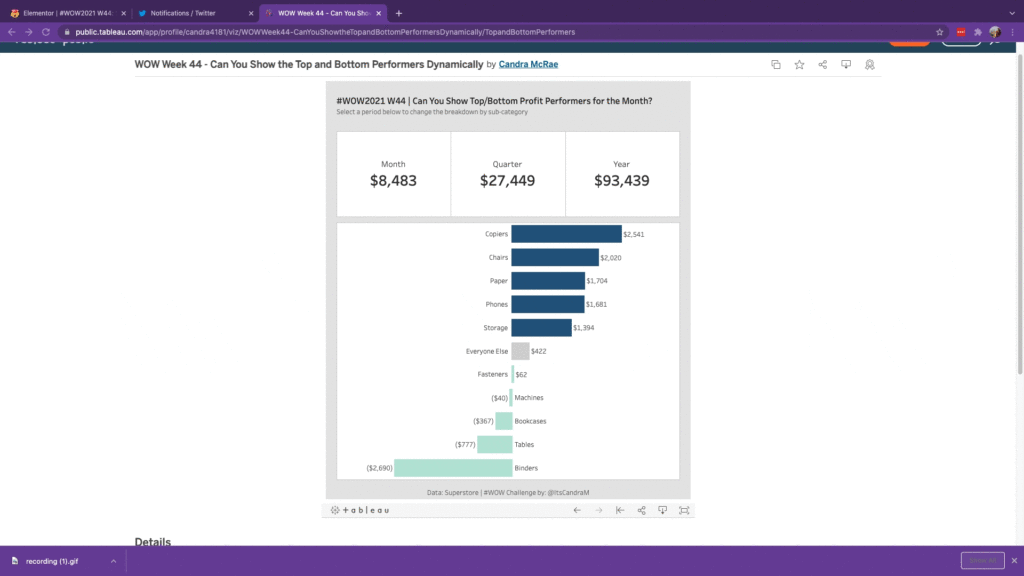
#WOW2021 W44: Can You Show the Top and Bottom Profit Performers for the Selected Time Period?

Introduction To round out my beginner #WOW2021 series and as a nod to the most wonderful time of the year (#TC…duh), I wanted to re-imagine a couple of blasts from the Tableau Conference past…so while no points for originality here, my hope is that the principles of these tricks of the trade will help reduce

#WOW2021 W44: Can You Show the Top and Bottom Profit Performers for the Selected Time Period? Read More »

Tableau, Workout Wednesday

Can You Create a Reference Line for Each Dimension?

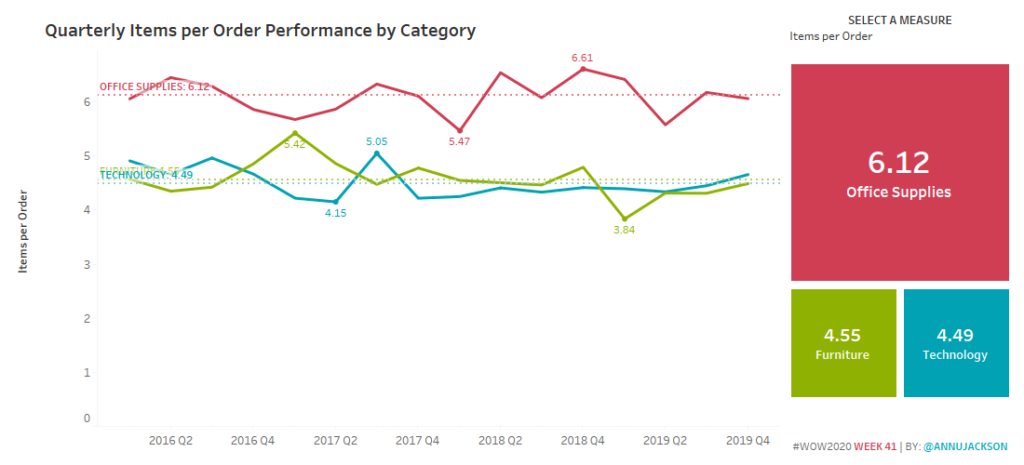
Introduction Happy TCish 2020!  I can’t believe we’re already on week 41 of 2020 and in the midst of Tableau Conference.  I don’t think any of the WOW team could have imagined that we would all be virtual and truly missing the company of the amazing Tableau community. For this week, I wanted to do

Can You Create a Reference Line for Each Dimension? Read More »

Tableau, Workout Wednesday

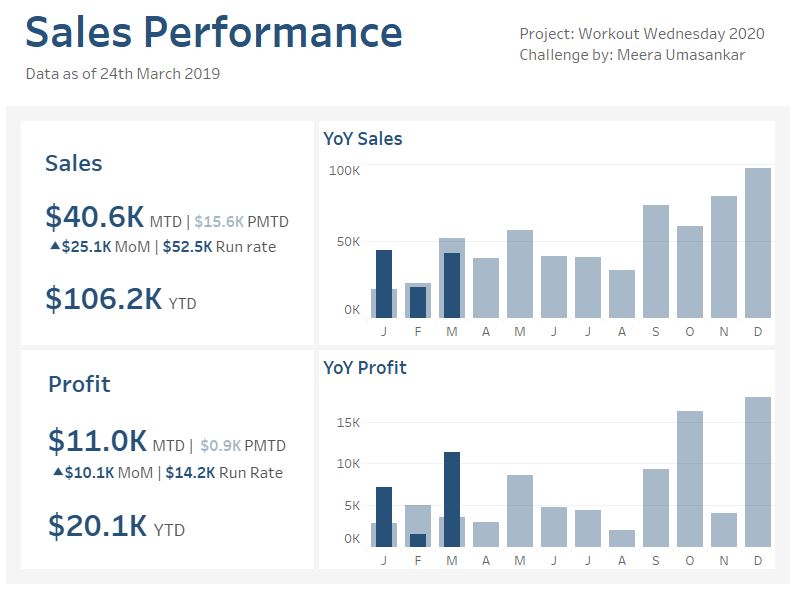
2020 Week 13 Do you want to build a simple Sales dashboard?

Introduction My first WorkoutWednesday challenge for the year! This week let’s create a simple Sales dashboard with some of the key KPI metrics. We will be using the superstore data set showing how the Sales and Profit are performing.    Click to open in Tableau Public Requirements Dashboard Size: 800px by 600 px # of

2020 Week 13 Do you want to build a simple Sales dashboard? Read More »

Tableau, Workout Wednesday

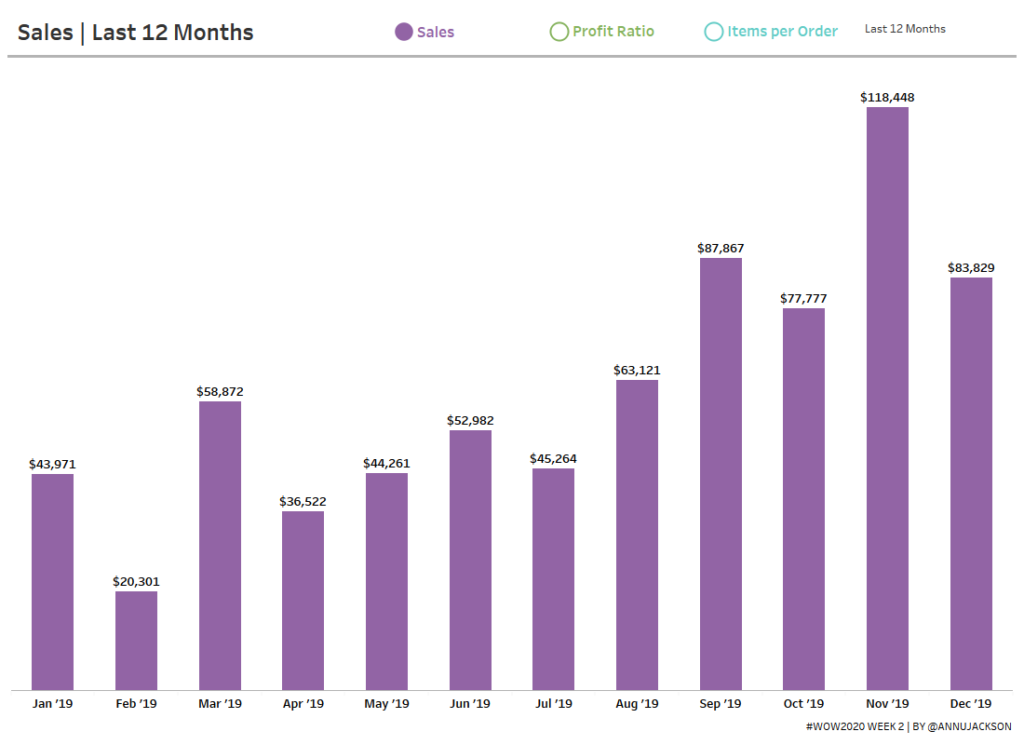
2020 Week 2: Can you build a beautiful and dynamic bar chart?

Introduction Happy New Year!  I’m excited to be back for yet another year of Workout Wednesday.  This year we’ve expanded the team and made a commitment to the community to provide solution videos.  We’ve also got some great collaborations lined up, and a few exciting enhancements to come (custom color palette anyone?)! To get the

2020 Week 2: Can you build a beautiful and dynamic bar chart? Read More »

Tableau, Workout Wednesday

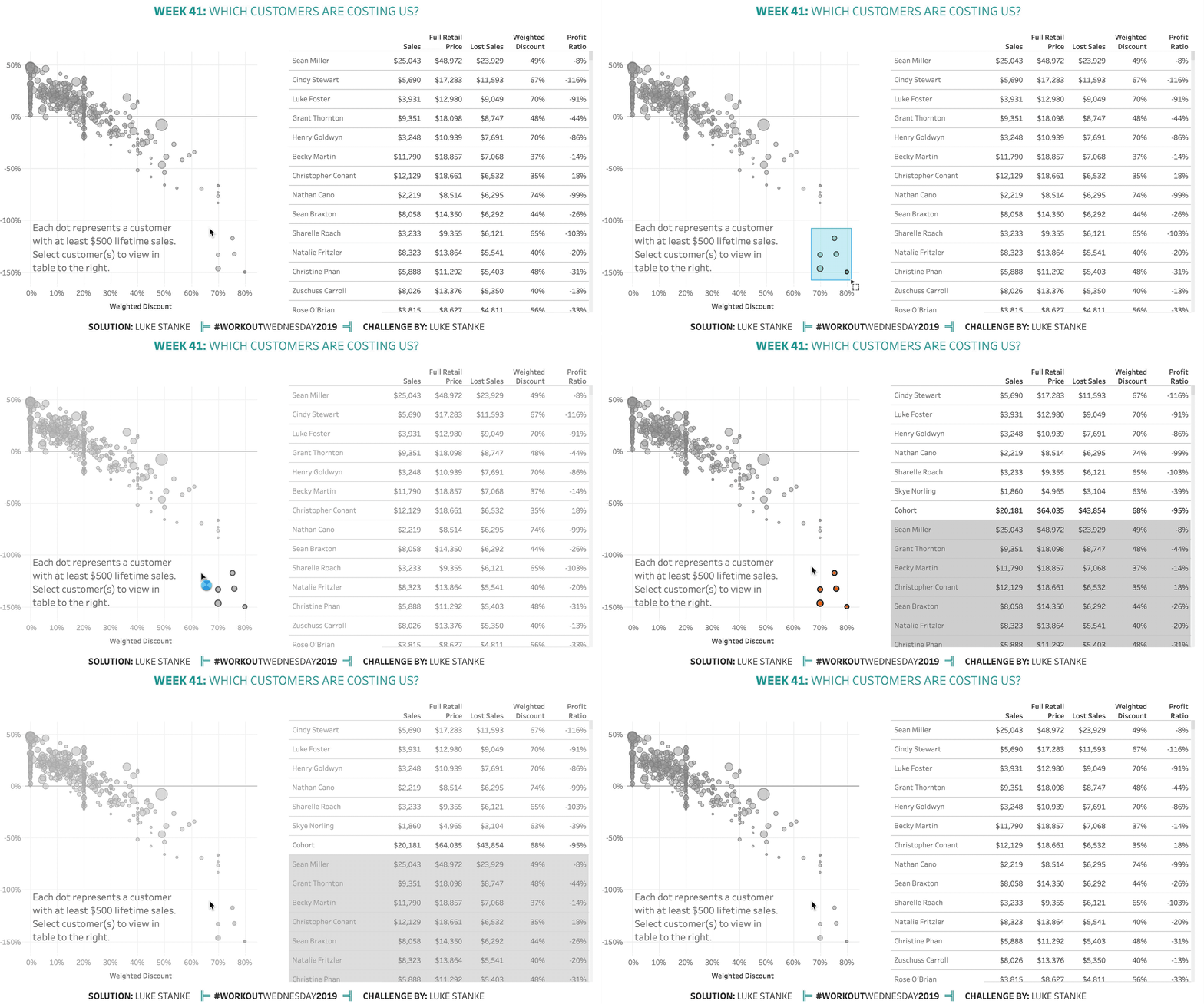
2019 Week 41: Which customers are costing us?

Once again, this week comes from a real life challenge. This real-life scenario involves a scatterplot of customers and a long, long table. The first requirement was to keep all the customers in the list, but also highlight those customers. After a round of feedback our stakeholder decided they wanted the selected customers to “surface

2019 Week 41: Which customers are costing us? Read More »

Tableau, Workout Wednesday