2019

Workout Wednesday: Where we are and where we are headed in 2020

Twenty-nineteen is nearly in the books! This year we produced fifty-two fantastic challenges with varying degrees of difficulty. None of these challenges could have been successful without your participation! Regardless of difficulty we focused the challenges on learning particular tips or tricks from the tool. Along the way we’ve seen the community grow and evolve

Workout Wednesday: Where we are and where we are headed in 2020 Read More »

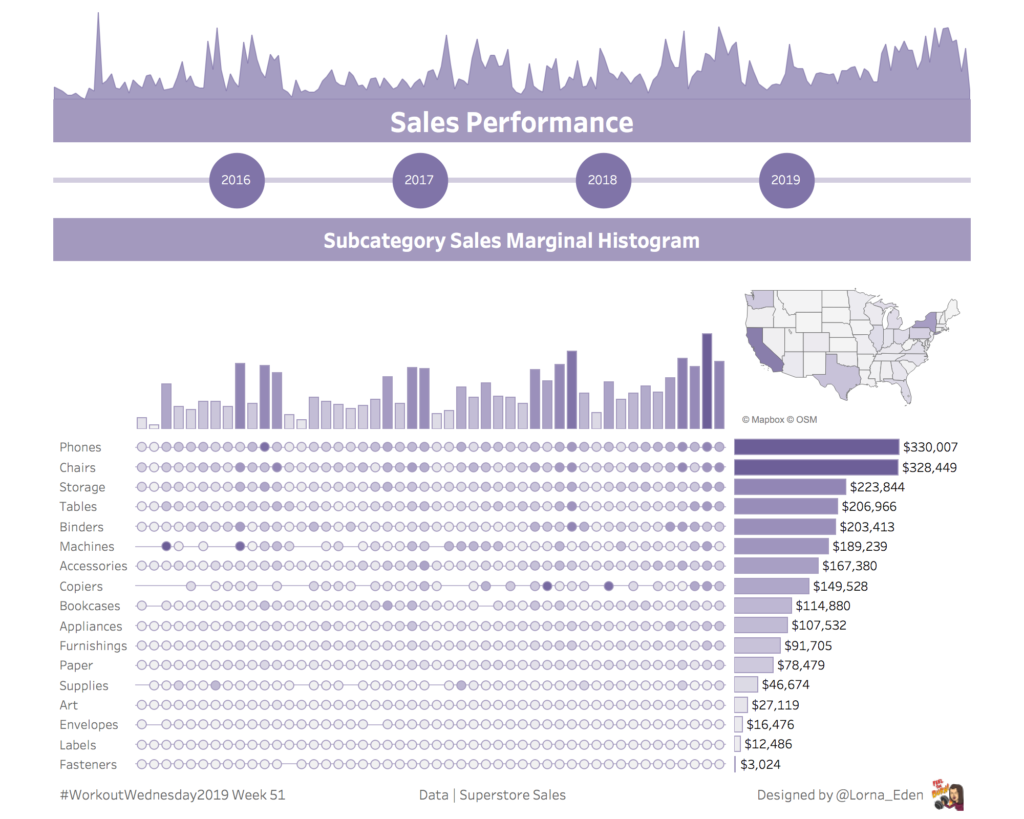
#WorkoutWednesday2019 Week 51 – Sales Performance Dashboard

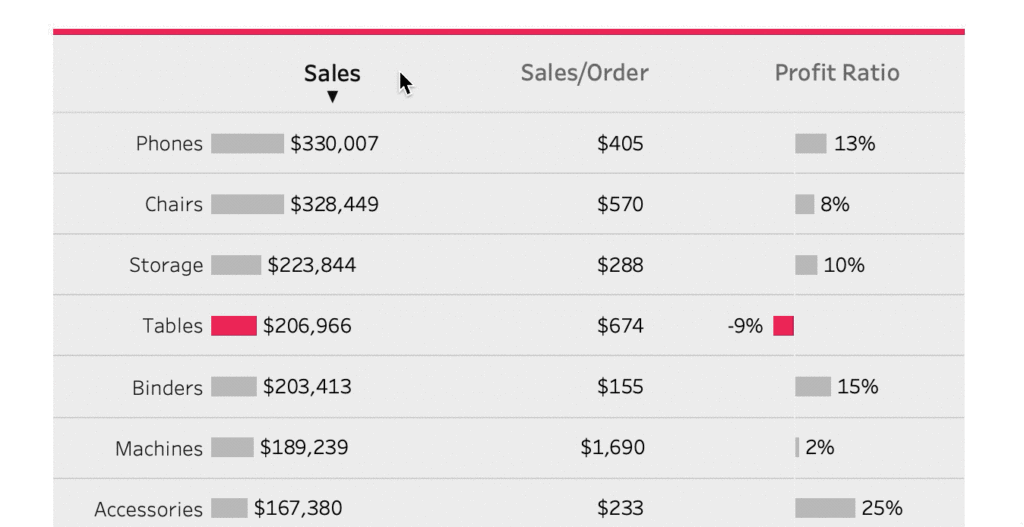
I thought I would end the year with a simple Sales Performance dashboard. It is a recreation from Pradeep Kumar G‘s viz. What I love about this viz is how simplistic it looks and sticking with a “Brand”. This week, we create something similar, keeping it simplistic and on “Brand” Requirements Dashboard 1000 x 800

#WorkoutWednesday2019 Week 51 – Sales Performance Dashboard Read More »

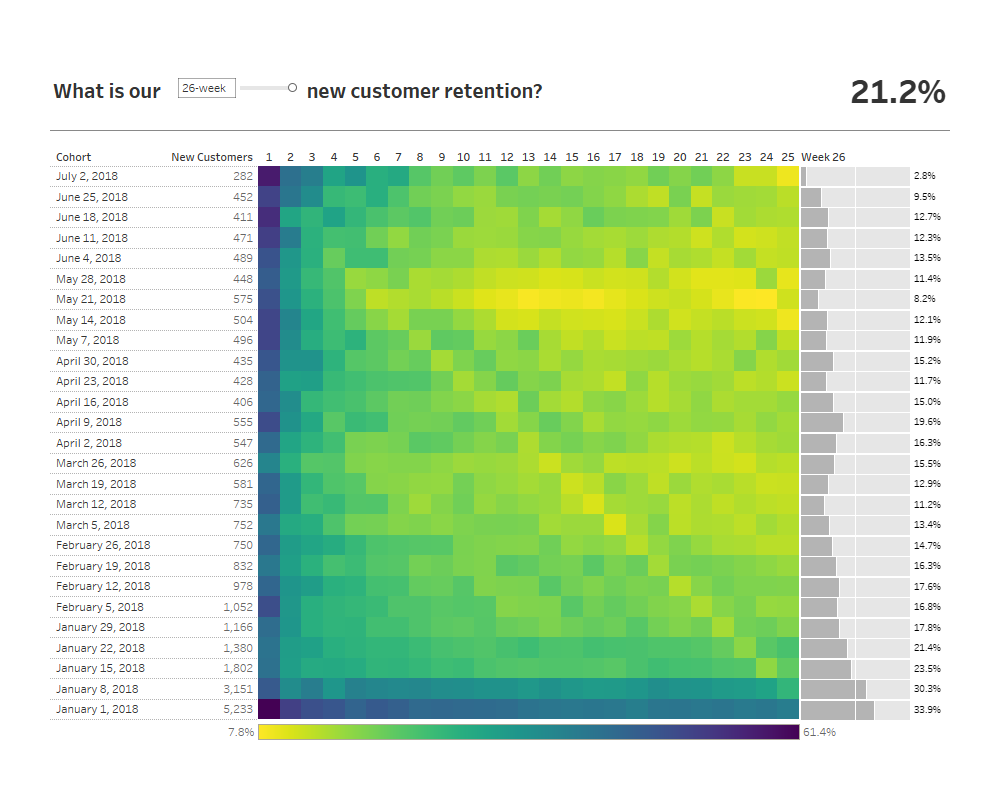
2019 Week 50: Can you build a retention heat map with a marginal histogram?

Let’s take a break from Superstore this week! I’ve fabricated some new data that will help us create a more realistic view of customer retention, you can connect to the data via the Google Sheet connector at this link. This data set has one row per order week and customer ID, representing said customer placed

2019 Week 50: Can you build a retention heat map with a marginal histogram? Read More »

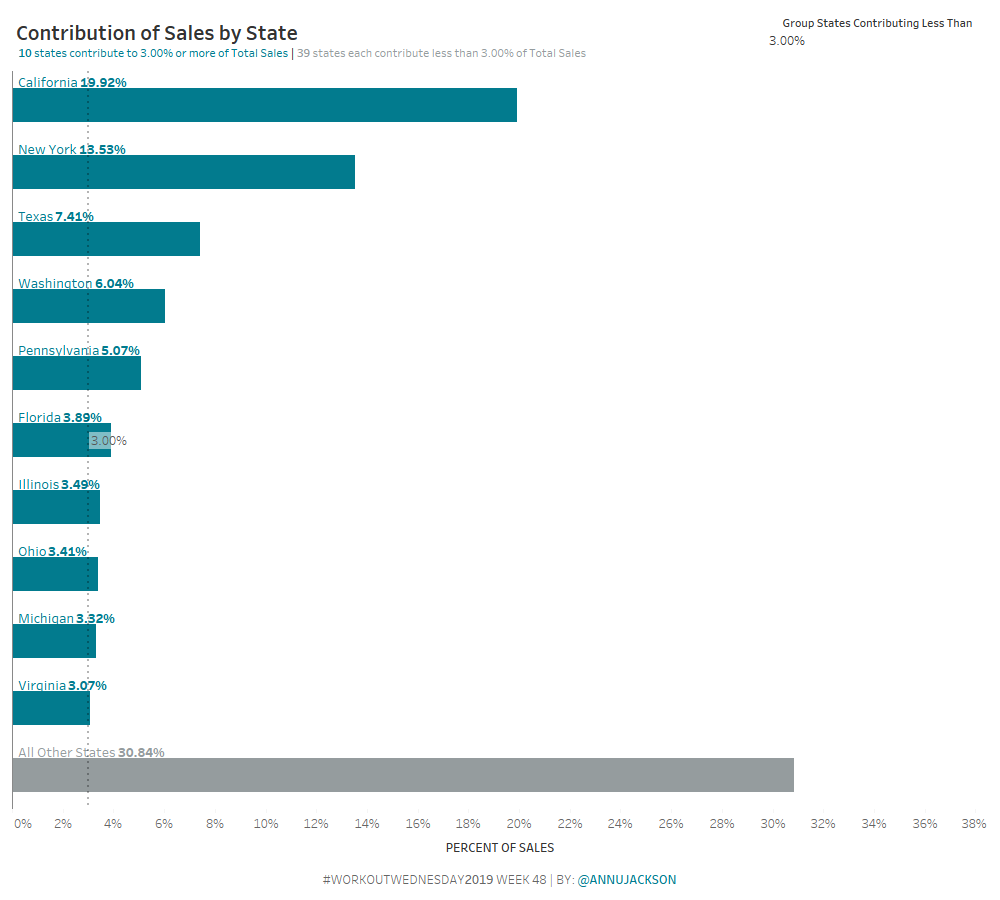
Week 48: Can you build a Bar Chart that automatically combines small contributions?

How much information have you retained from Tableau Conference 2019?  Are you still watching session videos (like I am?).  This challenge is an homage to the amazing conference from this year. The challenge comes from something I encountered in a recent work situation.  The end-user wanted to be able to automatically group together small contributing

Week 48: Can you build a Bar Chart that automatically combines small contributions? Read More »

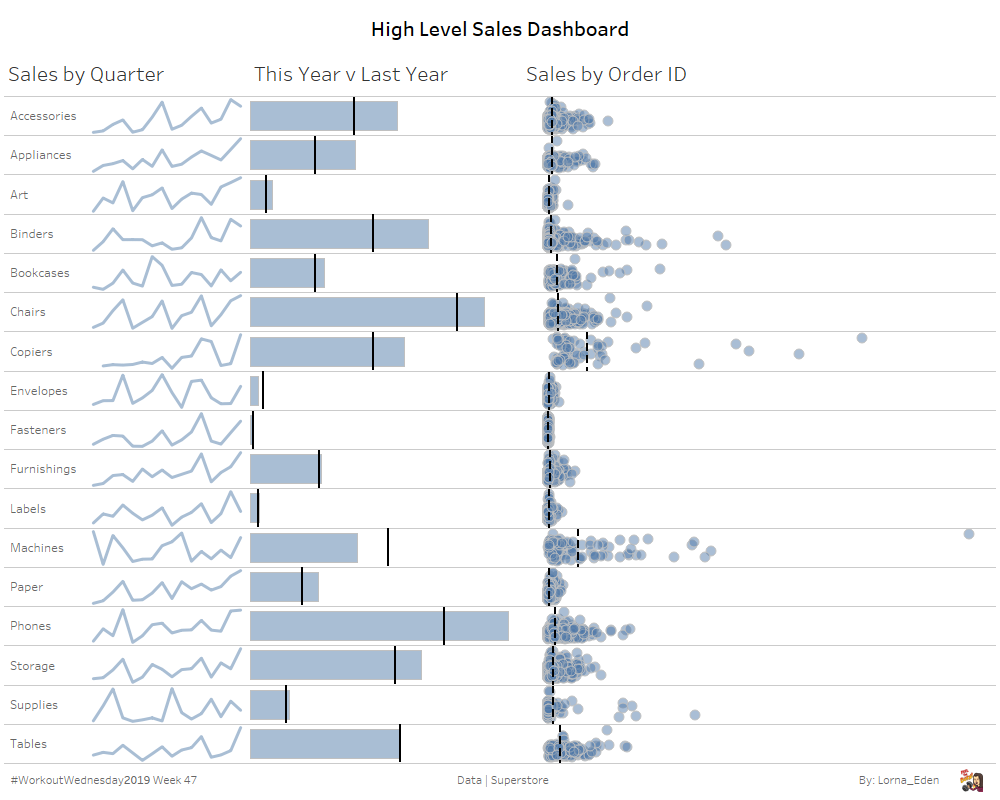
#WorkoutWednesday2019 Week 47 – High Level Dashboard with Explain Data

This week I wanted to try and keep things simple. I wanted to show how to build a high level dashboard and use the new feature of explain data to produce another.   Requirements Dashboard Size 1000 x 800 3 Sheets on first dashboard, 2 auto created sheets on the second Sub Category Sales by

#WorkoutWednesday2019 Week 47 – High Level Dashboard with Explain Data Read More »

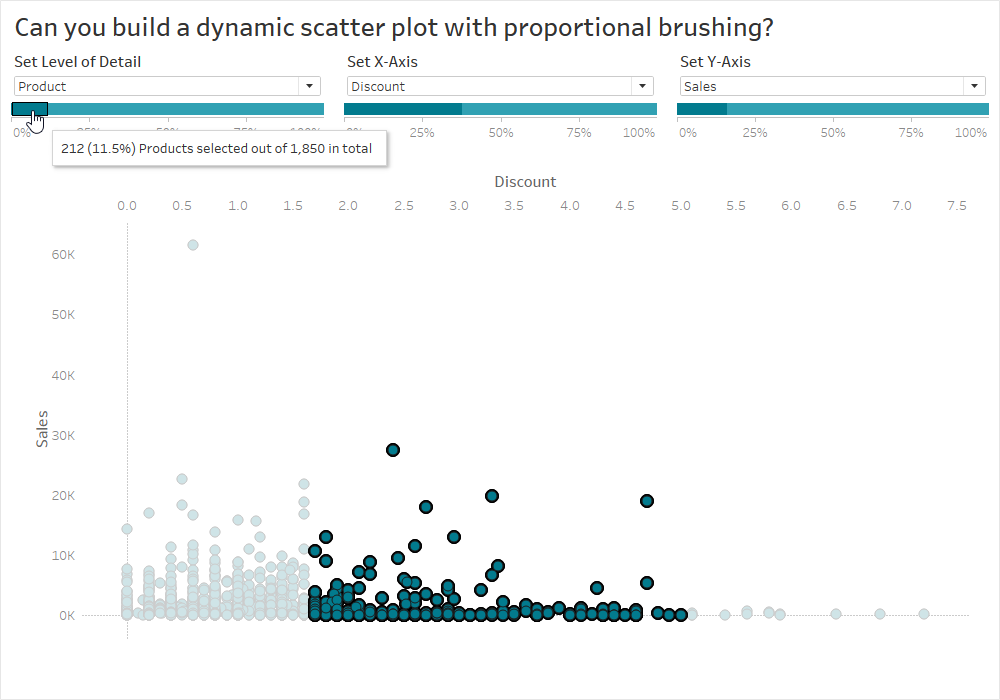
2019 Week 46: Can you build a dynamic scatter plot with proportional brushing?

This is a special week for Workout Wednesday, as we are running this challenge live from Tableau Conference in Las Vegas! We’ve put together a challenge this week that is simple enough for someone who is just getting started with Tableau, tricky enough for those further along in their Tableau journey, and a great teaching

2019 Week 46: Can you build a dynamic scatter plot with proportional brushing? Read More »