Intermediate

2022 Week 47 | Power BI: WoW on Twitter

Introduction Welcome back to Workout Wednesday! This week we’re going to visualize Twitter data using Twitter’s API to retrieve tweets that have been made about Workout Wednesday! You have complete creative license to visualize the data in any way that you see fit. If you have a Power BI premium license, I encourage you to […]

2022 Week 47 | Power BI: WoW on Twitter Read More »

Power BI, Workout Wednesday
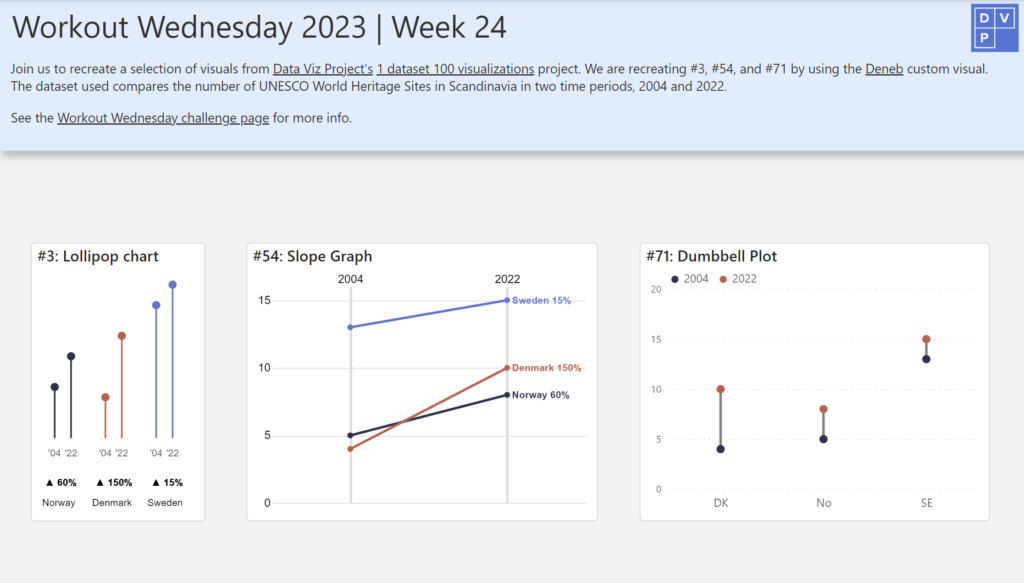
#WOW2022 W43: Advanced Formatting by Jeremy Anderson

Introduction Conditional formatting is a robust feature in Power BI that you can leverage to help users gain insights. Typically, we see conditional formatting applied to the table and matrix visuals. For example, you might apply a background color, font color, or icons to the values based on a set of rules.  Conditional formatting of

#WOW2022 W43: Advanced Formatting by Jeremy Anderson Read More »

community, Power BI, Workout Wednesday

2022 Week 42 | Power BI: Deneb Custom Visuals

Introduction I was recently asked by Rob Saunders if I would like to assist with a #WorkoutWednesday PowerBI challenge. To be seen in the same crowd with Kerry, Shannon, Meagan, Spencer, and Rob is such an honour. Cue the onset of imposter syndrome. After that feeling passed, Rob and I decided to continue with the

2022 Week 42 | Power BI: Deneb Custom Visuals Read More »

Power BI, Workout Wednesday
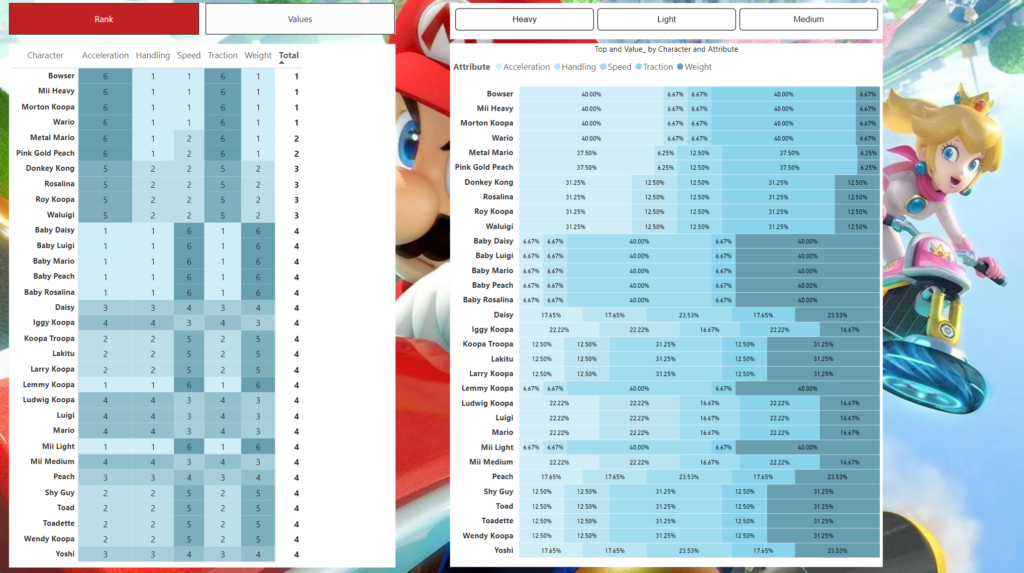
2022 Week 41 | Power BI: Likert Scale and Net Promoter Score (NPS)

Introduction This month we are getting the #WorkoutWednesday community involved in the challenges with Community Month. Each week we’re going to have an outstanding member of our community present a challenge. This week we have Gerard Duggan from sunny down under (Australia). Gerard rocks the Power BI community showing us how to present outstanding analysis

2022 Week 41 | Power BI: Likert Scale and Net Promoter Score (NPS) Read More »

Power BI, Workout Wednesday
Error Bars showing standard deviation from the average

2022 Week 39 | Power BI: Use error bars to show statistical ranges

Introduction We first looked at error bars in week 28. But error bars have several formatting features and can be used in several types of visuals. This week, we are going to use error bars to show a dynamically populated range around an average.  Requirements Calculate the average height and standard deviation for the heights.

2022 Week 39 | Power BI: Use error bars to show statistical ranges Read More »

Power BI, Workout Wednesday
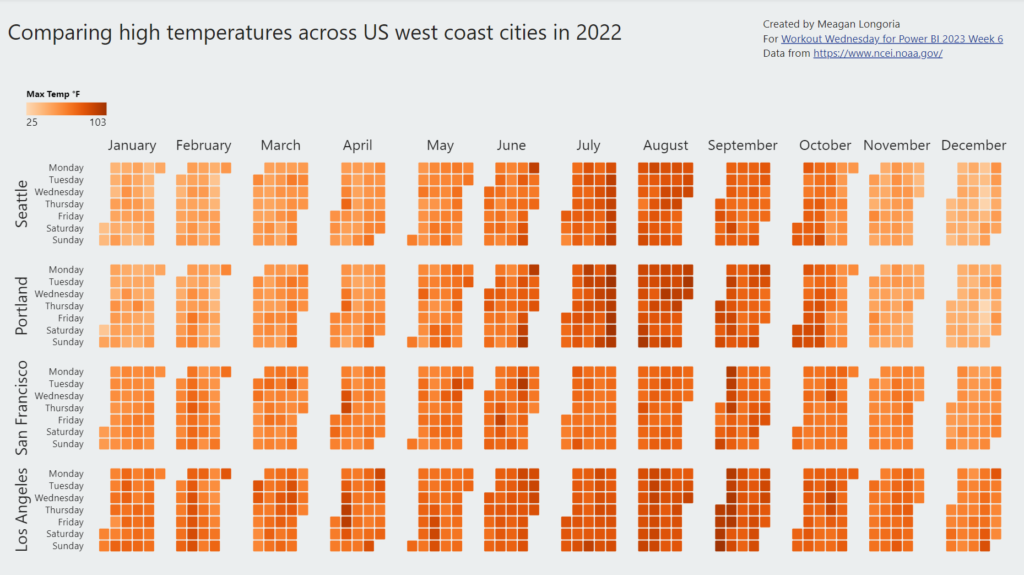
2022 Week 36 | Power BI: Split Violin Plot and HTML

Introduction Another PlotlyJS visual this week – creating a split violin plot. We’ll be comparing male and female dating preferences collected from speed dating events between 2002-2004. EXTRA CREDIT – For those with a little more time on their hands, an extended workout challenge is included; conduct your own data analysis and create a data

2022 Week 36 | Power BI: Split Violin Plot and HTML Read More »

Power BI, Workout Wednesday
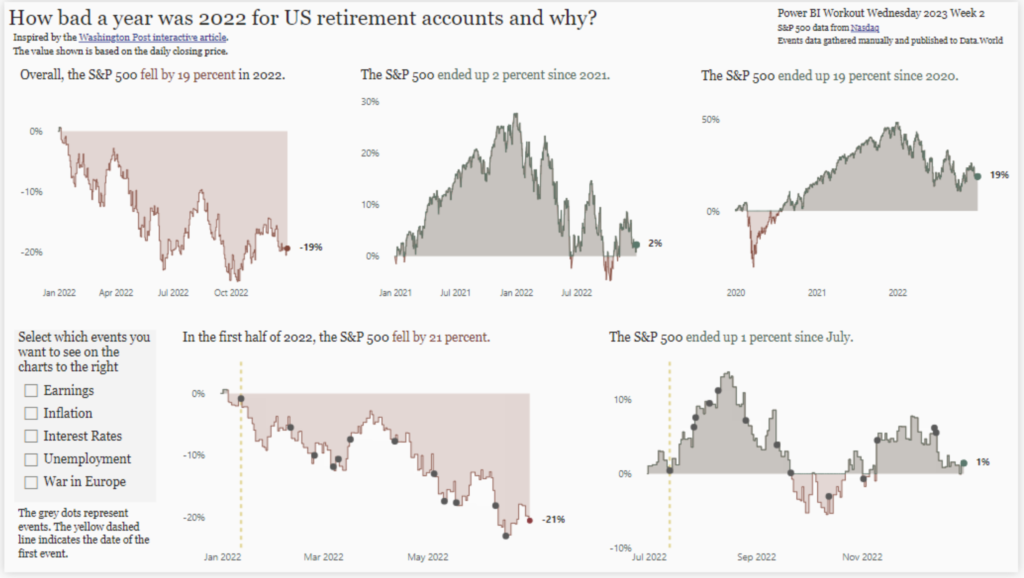
2022 Week 34 | Power BI: Calculation Groups

Introduction Calculation Groups in Power BI essentially allow you to apply logic or formatting to a variety of measures at the same time.  For example, let’s say you were looking to create a Month-To-Date, Quarter-To-Date, and Year-To-Date view across Revenue, Orders, and Units.  This would require you to create a calculation for each of the

2022 Week 34 | Power BI: Calculation Groups Read More »

Power BI, Workout Wednesday
2022 Week 33 | Power BI: Compare two series of values

Introduction Welcome back to Workout Wednesday! This week we’re visualizing two series of values in a take on last week’s Tableau challenge! This week’s challenge uses youth cellphone data and gives you the opportunity to either build a dumbbell chart using Charticulator or to build a lipstick column chart using a custom visual. Complete one or both

2022 Week 33 | Power BI: Compare two series of values Read More »

Power BI, Workout Wednesday