
Dates

2020 Week 15: Can you create a chart with a dynamic week start?

Introduction Hello Everyone!  First – I want to say that I hope you and your loved ones are happy, healthy, and safe during this time.  It’s amazing to think when I posted my last workout just 4 weeks ago, that the world (at least mine) looked completely different. I want you to know that you’re […]

2020 Week 15: Can you create a chart with a dynamic week start? Read More »

Tableau, Workout Wednesday
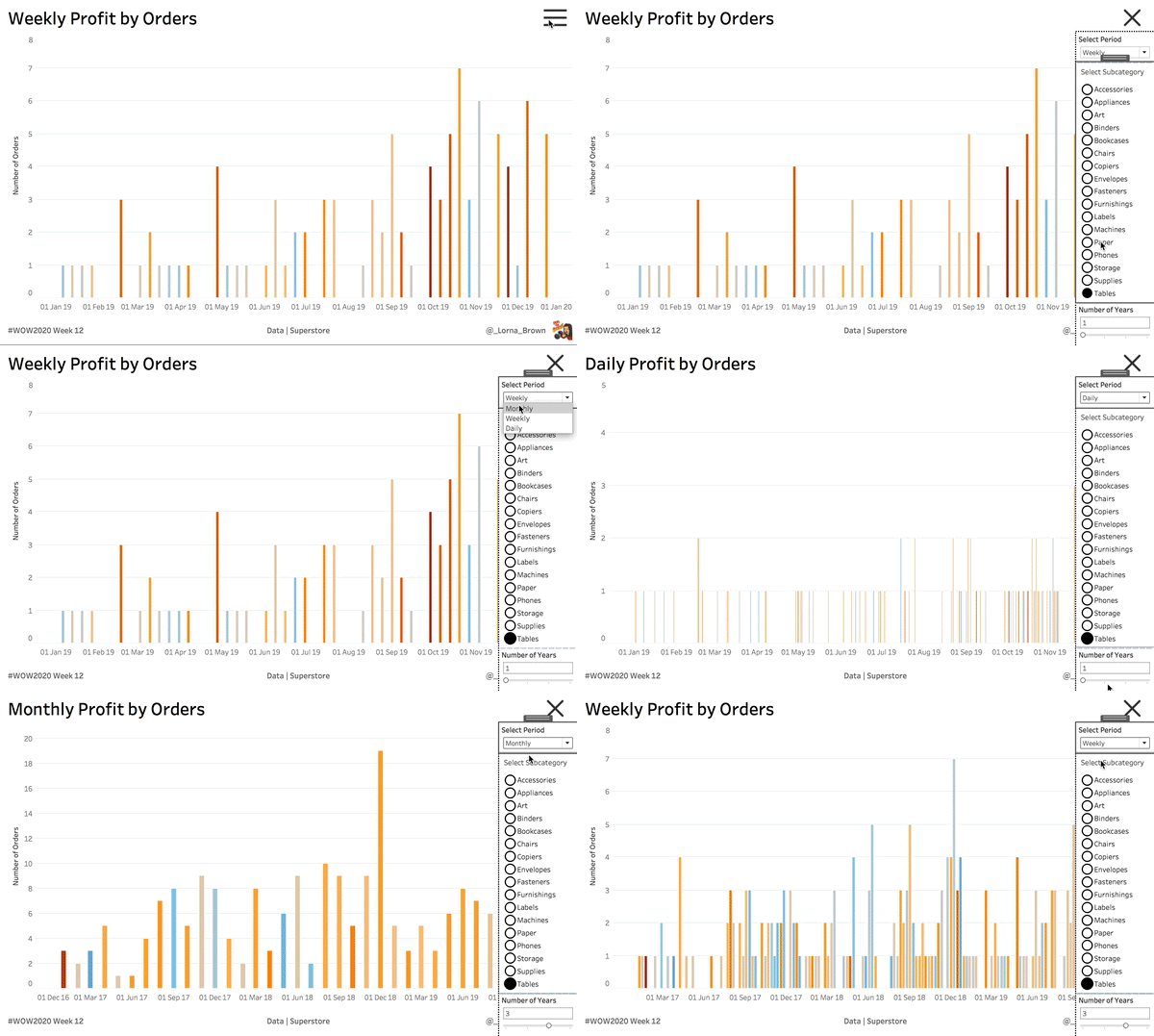
Week 12 2020: Can you show missing selected periods and autosize bars?

Introduction It’s good to be back WOWsers. This week is looking at showing missing selected periods and autosizing bars based on the selected period (Monthly, Weekly, Daily). It also gives Set Actions some love. The dates idea came from Michael McFadden. Click to open in Tableau Public Requirements Dashboard Size: 1000px by 600 px 2

Week 12 2020: Can you show missing selected periods and autosize bars? Read More »

Tableau, Workout Wednesday
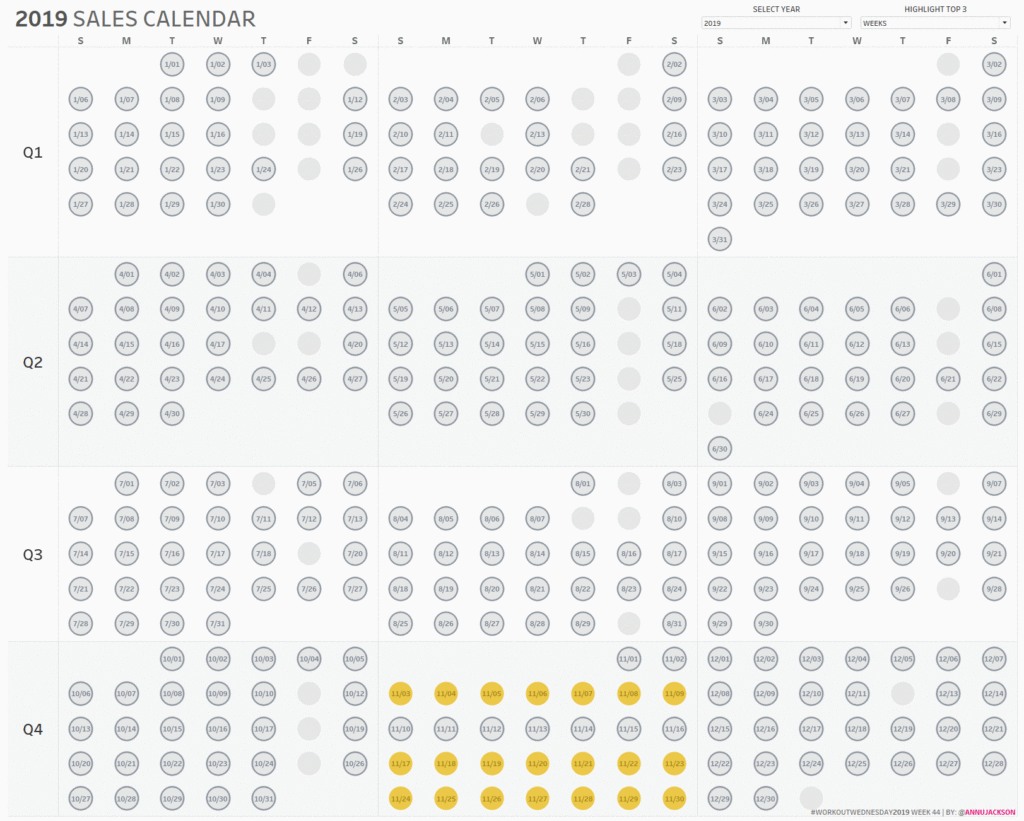
Week 44: Can you build a Sales Calendar with top 3 highlighting?

This week’s workout comes from a recent conversation I had.  The goal was to figure out the best periods of sales (whether that was best days, best weeks, or best months) and to understand more context around those dates.  Was the increase in sales driven by holidays or other external events, or perhaps it was

Week 44: Can you build a Sales Calendar with top 3 highlighting? Read More »

Tableau, Workout Wednesday

Week 18: Customer Retention By Cohort and Quarter

If you’ve ever worked with web Google Analytics then you’ve probably seen the cohort analysis chart. To me its the coolest information provided. This week were back with an intermediate and jedi options. Both look basically the same but the jedi forces your thinking to a higher level!   Intermediate Build a cohort analysis heat

Week 18: Customer Retention By Cohort and Quarter Read More »

Tableau, Workout Wednesday
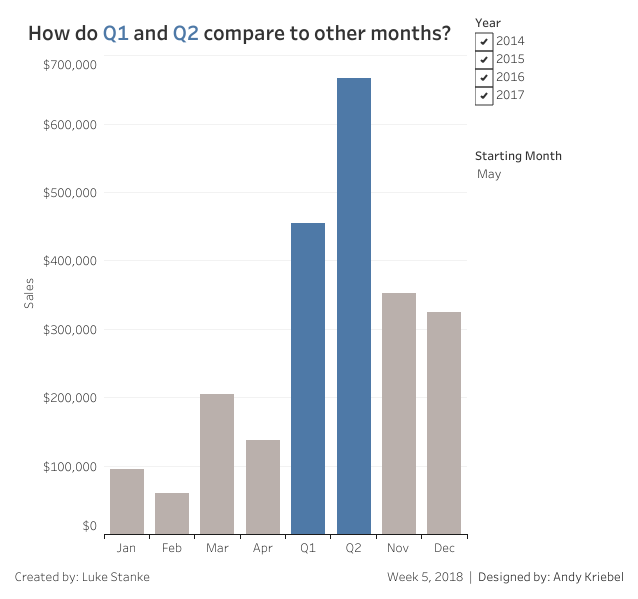
#WorkoutWednesday 2018 – Week 5

This week Andy is back with a challenge and it’s very straightforward. You need to create two quarters starting with the month selected and show months for everything else. Requirements No Level-of-Detail calculations. No table calculations. The Q2 value must always appear after Q1. There are no spoilers this week. This week utilizes the Superstore

#WorkoutWednesday 2018 – Week 5 Read More »

Tableau, Workout Wednesday
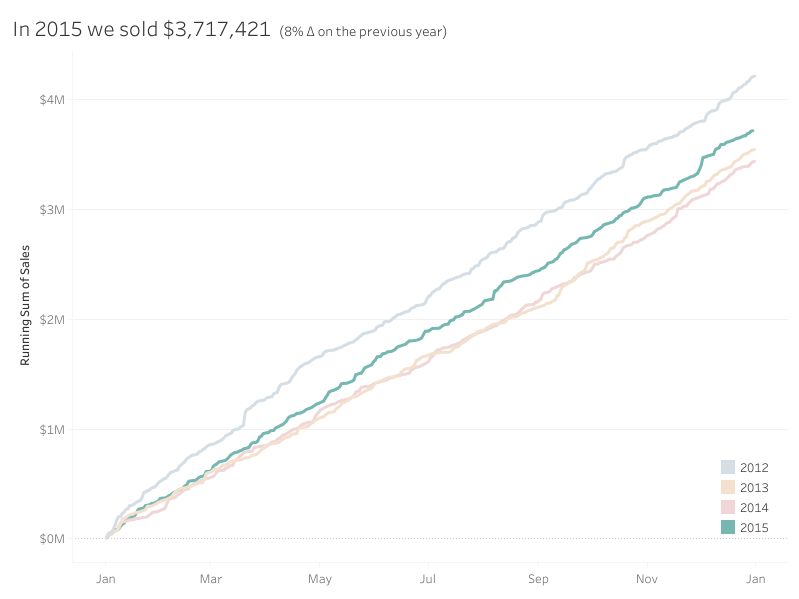
#WOW2017 | 32 | Continuous Dates are Tricky

Introduction EDITOR’S NOTE: This challenge was originally published on Emma Whyte’s Tableau blog which no longer exists. This challenge is republished here with the author’s permissions  Working with continuous dates can be tricky in Tableau depending on how you want to display them. This weeks #WorkoutWednesday is inspired by a challenge from Data School superstar Neil Lord. Click

#WOW2017 | 32 | Continuous Dates are Tricky Read More »

community, Tableau, Workout Wednesday