
Introduction
This week we have a challenge by Lisa Hitch, Coach of the New York Data School and Winner of the Tableau Conference Tips Battle.
This week we’re putting a fresh spin on a classic chart: the Pareto chart!
The Pareto principle (also known as the 80/20 rule) tells us that roughly 80% of outcomes come from 20% of causes. For example, 80% of our sales come from only 20% of our customers.
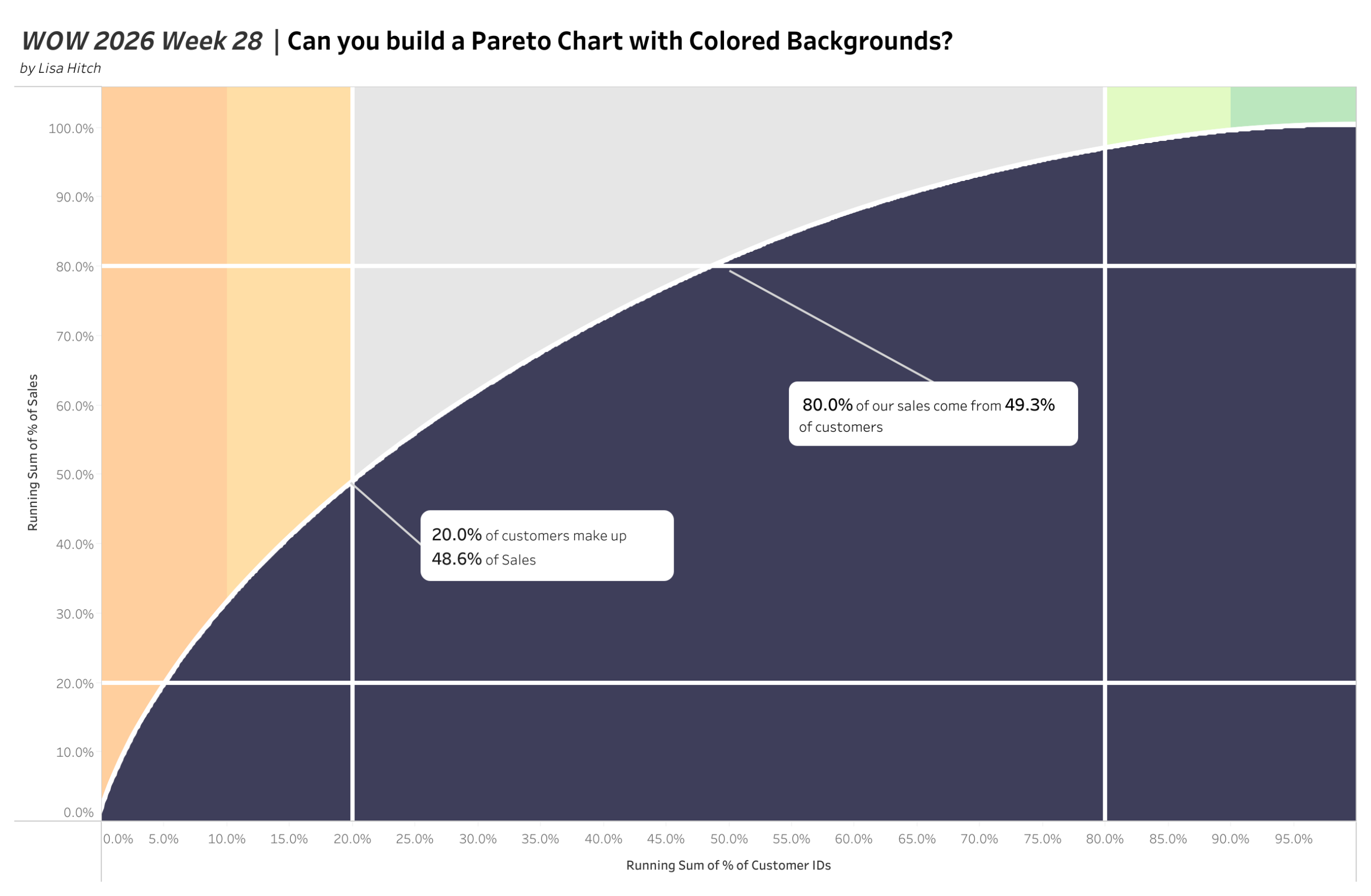
In most Pareto charts you’ll see sorted bars with a cumulative line. But this challenge flips the format: both axes are running percentages of total, creating a smooth cumulative curve that sweeps across the view, with lines telling us the 80/20 and 20/80 points. The result is a chart that not only communicates the 80/20 principle but shows it visually in a striking way.
And if that is not enough, we’re adding a colored background to our chart. While we have lines telling us the 20/80 and 80/20 points, we also use a small visual cue to highlight the 10% and 90% marks.
Requirements
- Dashboard size: 1300 × 850
- Single worksheet, only 2 fields are needed!
- The X-axis displays the running sum of % of total for Customer IDs
- The Y-axis displays the running sum of % of total for Sales
- The Pareto curve must be a filled area chart in dark navy (#3e3e5a)
- We need 4 white lines:
- 20% of the running sum of % of total for Customer ID
- 80% of the running sum of % of total for Customer ID
- 20% of running sum of % of total for Sales
- 80% of running sum of % of total for Sales
- The background must be divided into five colored sections, based on 10%, 20%, 80%, and 90% on the X-axis. Color scheme
- #ffcf9e
- #ffdea6
- #e6e6e6
- #e2fac3
- #bbe7be
- Add two text annotations:
- One calling out what % of sales come from the top 20% of customers
- One calling out what % of customers make up 80% of sales
Dataset
Sample Superstore (built into Tableau Desktop). No additional data download required.
Attribute
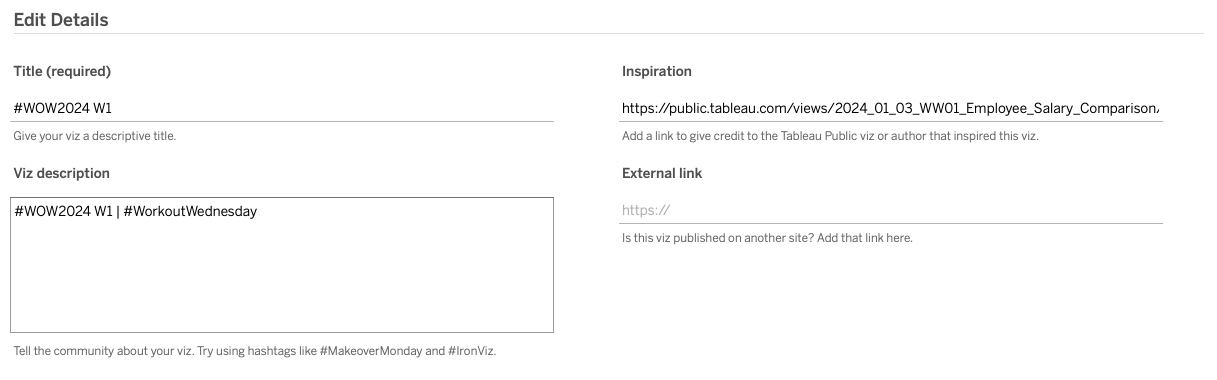
When you publish your solution on Tableau Public make sure to take the time and include a link to the original inspiration. Also include the hashtag #WOW2026 in your description to make it searchable!
Share
After you finish your workout, share on Twitter and/or LinkedIn using the hashtag #WOW2026 #Tableau and tag @WorkoutWednsday
Solution
Interactive
