
Introduction
Did you know you can call Snowflake Cortex AI functions directly within Sigma?
Sigma Workflow Conference in San Francisco is right around the corner, and we will build an AI Chatbot in a Sigma workbook to help users find answers to conference related questions.
This AI App focused challenge will walk you through the process of building a chatbot interface and the backend setup to make the magic happen. Our AI chatbot will be responding to users’ prompts, based on a governed knowledge base with frequently asked questions and the expected responses.
By the end of this challenge, you will be an expert in developing AI App in Sigma and bridge up the art of the possible between Snowflake Cortex and Sigma.
Good luck!
Stanley
Need access to Sigma?
Note: You will only have view access to WOW Workbooks, Folders, and Workspaces, not edit access. Please create your WOW Workbooks under “My Documents.” We suggest creating a folder to organize all your workbooks.
Requirements
- Hidden Data Page:
- Table element sourced from: Workspaces / Workout Wednesday / 2026 / 2026W06 / AI Help Desk Data
- Create a new column to concatenate the Question column and the Answer column into one string field. Add a separator to the end of the concatenated string field to help Cortex function understand it’s the end of a pair/beginning of the next pair.
- Create an empty input table Message_Log to collect prompts and responses
- A text column to collect Prompt
- A text column to collect the response
- A calculated column that returns the rank of that row in the table
- A table summary field that returns the maximum rank
- Create a text area control and name it instruction_ctrl. Write up a message to the LLM to impersonate a help desk agent, who leverages the knowledge base to answer users’ questions. Be creative!
- Table element sourced from: Workspaces / Workout Wednesday / 2026 / 2026W06 / AI Help Desk Data
- Pending Message Modal:
- Create a text UI element to display a pending message
- Response Page
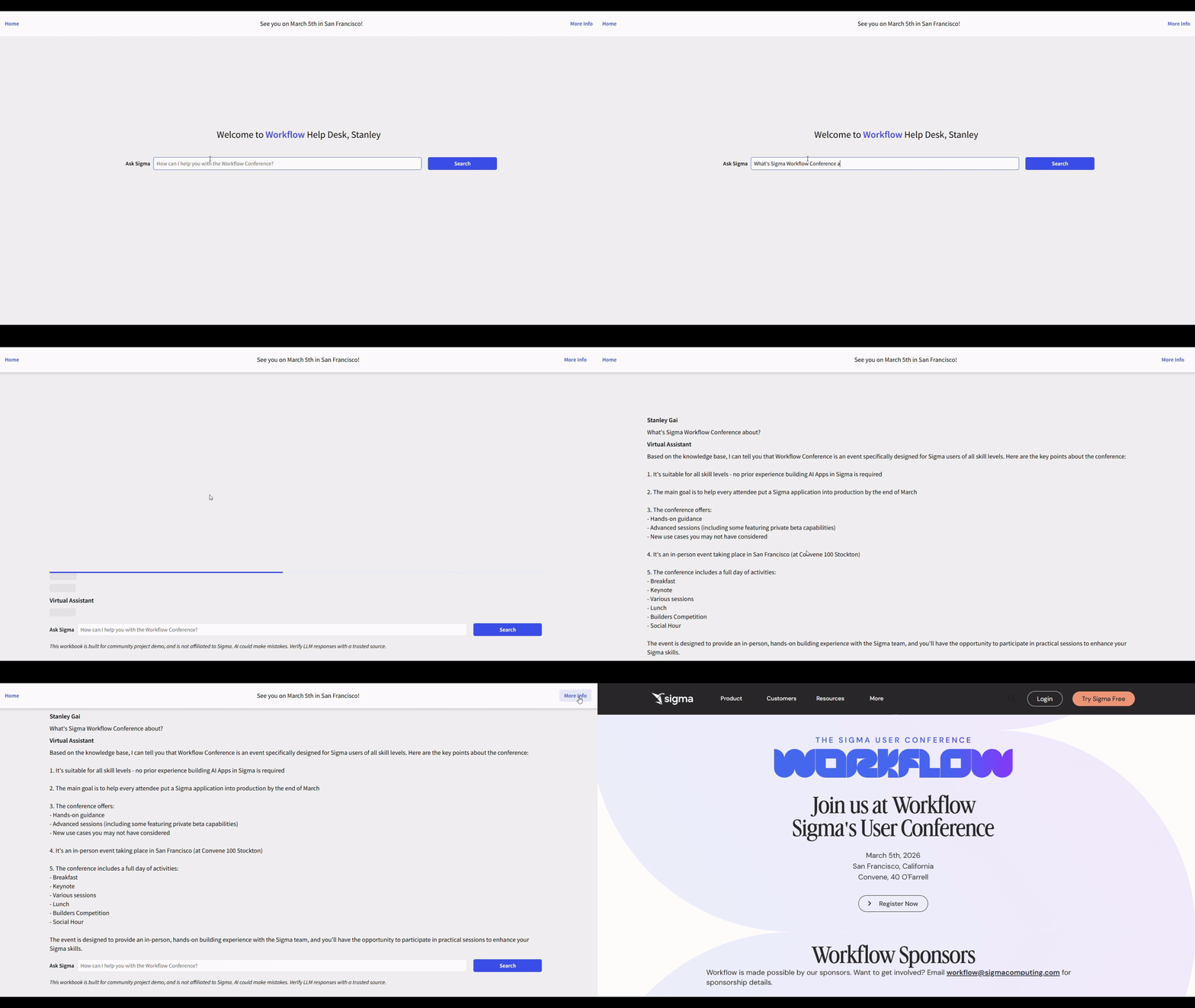
- A dynamic text UI element that references the Message_Log table and displays the most recent prompt and response pair.
- Main Page:
- Create a text input control, name it prompt-box-ctrl
- Create a button, name it search. Configure the action sequence
- Open the Pending Modal
- Create an insert row action into the Message_Log input table
- The prompt column should record the user’s prompt
- Response column will be a formula that call Snowflake Cortex, leverage the Knowledge_Base table, the impersonation message, and the user prompt. (Hint: To call snowflake cortex in the formula, use CallVariant(“SNOWFLAKE.CORTEX.COMPLETE”,<choice of LLM>,<full prompt>). ListAgg() can also help you to join the concatenated Knowledge_Base pair into one long string.
- Close the pending modal
- Clear the prompt-box-ctrl
- Navigate to the Response Page
- Create Workbook Header and text UI elements to improve the user experience
Dataset
- Workspaces / Workout Wednesday / 2026 / 2026W06 / AI Help Desk Data
Share
After you finish your workout, share on LinkedIn, Sigma’s Community page, (or Twitter) using the hashtags #WOW2026 and #Sigma, and tag Ashley Bennett, Eric Heidbreder, Jessica Batten, Carter Voekel and Stanley Gai!
Create an interactive, sharable version of your solution here.
Also, make sure to fill out the Submission Tracker so that we can count you as a participant this week to track our participation throughout the year.