Intermediate

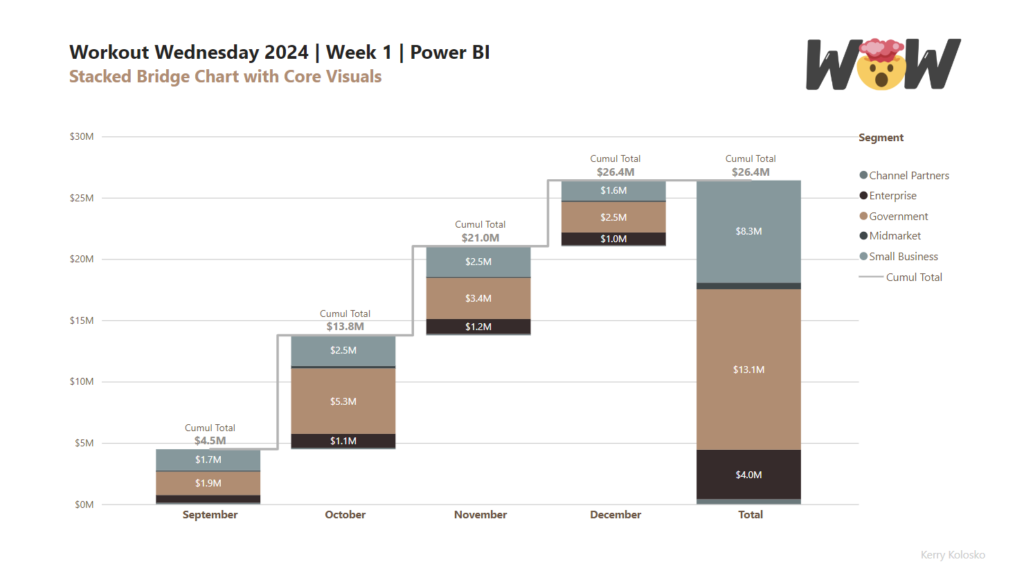
2024 Week 1 | Power BI: Stacked Bridge with Core Visual

Introduction This week’s challenge builds on last weeks challenge to utilise updated column fill and data labelling features from the Power BI December 2023 release. The challenge will be to create a stacked bridge chart using the core column and line combo chart. Building the bridge will require calculated tables. Intermediate users can use the

2024 Week 1 | Power BI: Stacked Bridge with Core Visual Read More »

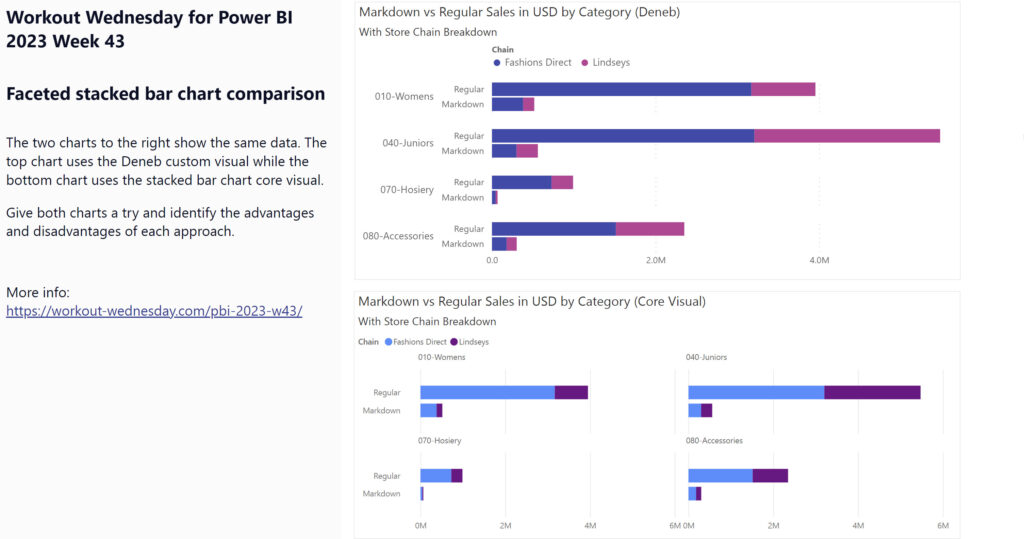
2023 Week 43 | Power BI: Faceted Stacked Bar Chart Comparison

Introduction This week’s challenge looks at two options for making faceted charts with multiple measures: the Deneb custom visual and the Stacked Bar Chart core visual. The charts compare two different measures across two attributes. You’ll have to get a little creative to accomplish this in both chart types.  Requirements Get the sample dataset from

2023 Week 43 | Power BI: Faceted Stacked Bar Chart Comparison Read More »

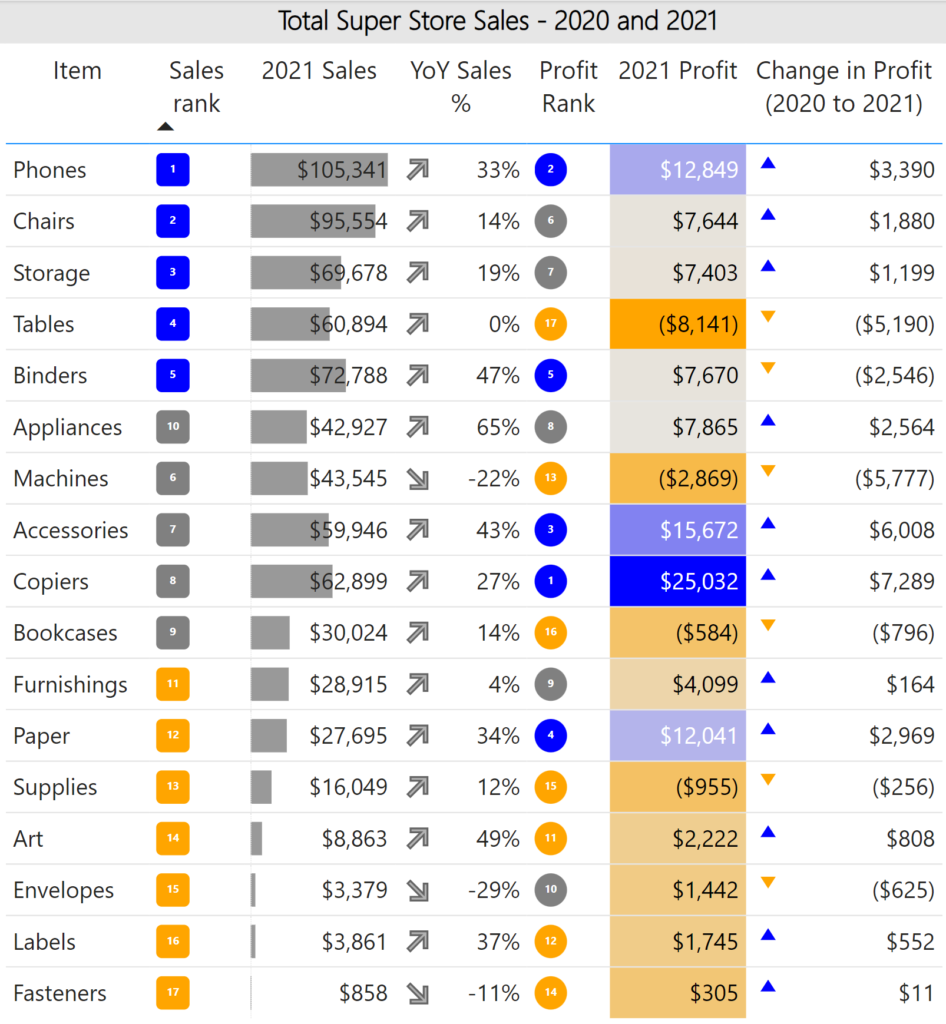
2023 Week 42 | Power BI: Add value to tables with SVGs

Introduction Welcome back to Workout Wednesday! This week we’re adding value to tables using SVG images! I was inspired by Sean Miller’s Week 16 Tableau challenge, and thought we could re-create this in Power BI. In this challenge, you’ll use various techniques to enhance the presentation of data within your Power BI table visual. These techniques include utilizing

2023 Week 42 | Power BI: Add value to tables with SVGs Read More »

2023 Week 30 | Power BI: Build a smooth line chart

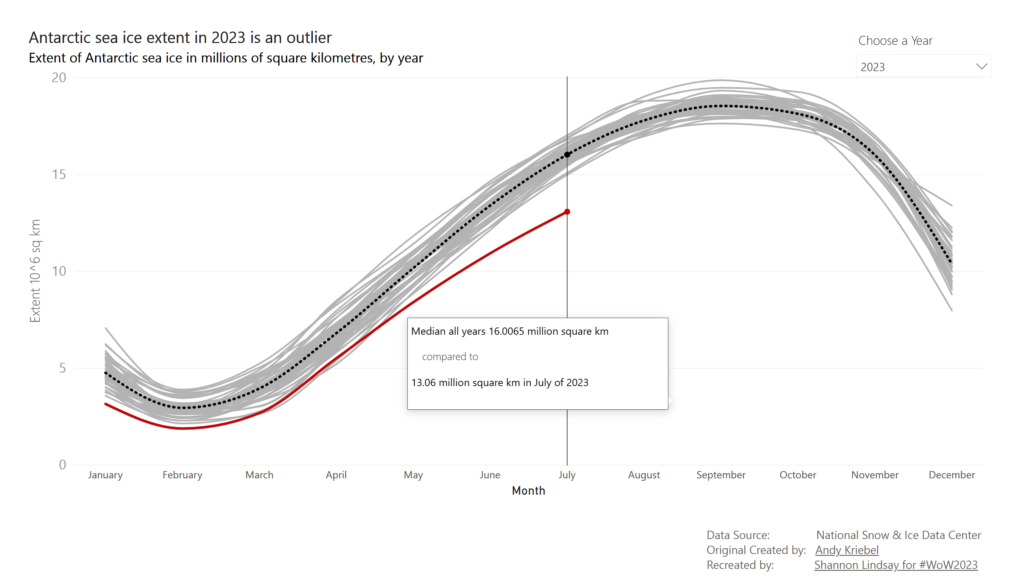
Introduction Welcome back to Workout Wednesday! This week we’re building a line chart using the new smoothing feature that was released this month! This week’s challenge was inspired by Andy Kreibel’s Makeover Monday challenge. We’re exploring the disappearing sea ice in the Antarctic using a line chart, looking at the extent of sea ice in millions of

2023 Week 30 | Power BI: Build a smooth line chart Read More »