Power BI

2024 Week 12 | Power BI: Contact Cards and Headerless Tables

Introduction This week’s challenge uses a custom visual to achieve some formatting that cannot currently (as of March 2024) be achieved using core visuals. First, we have a table that contains 2 columns and no headers. Next, we have some contact cards that contain both an image and text. The catch is that the number […]

2024 Week 12 | Power BI: Contact Cards and Headerless Tables Read More »

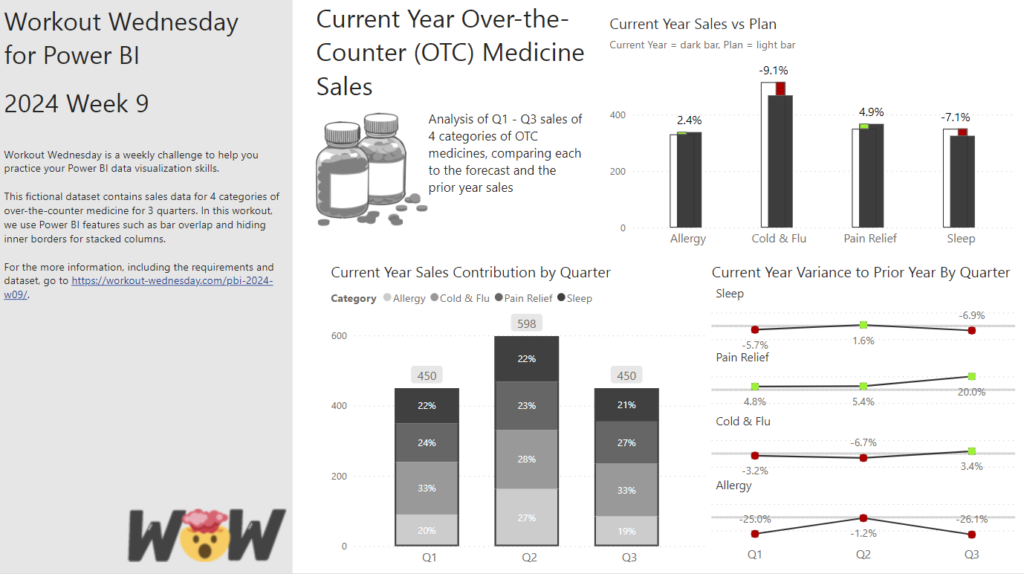
2024 Week 9 | Power BI: Use Bar Overlap and Border Formatting

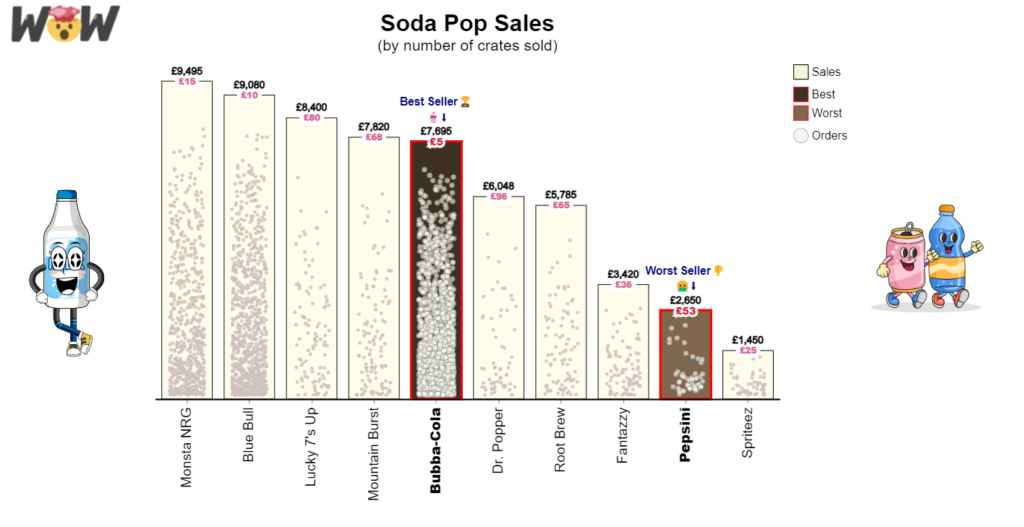
Introduction Welcome to this week’s Workout Wednesday. This week, we are taking advantage of some new features in the February 2024 release of Power BI Desktop. We can now have bars overlap in a clustered column chart and hide the inner borders in a stacked column chart. This week, we’ll use those formatting options to

2024 Week 9 | Power BI: Use Bar Overlap and Border Formatting Read More »

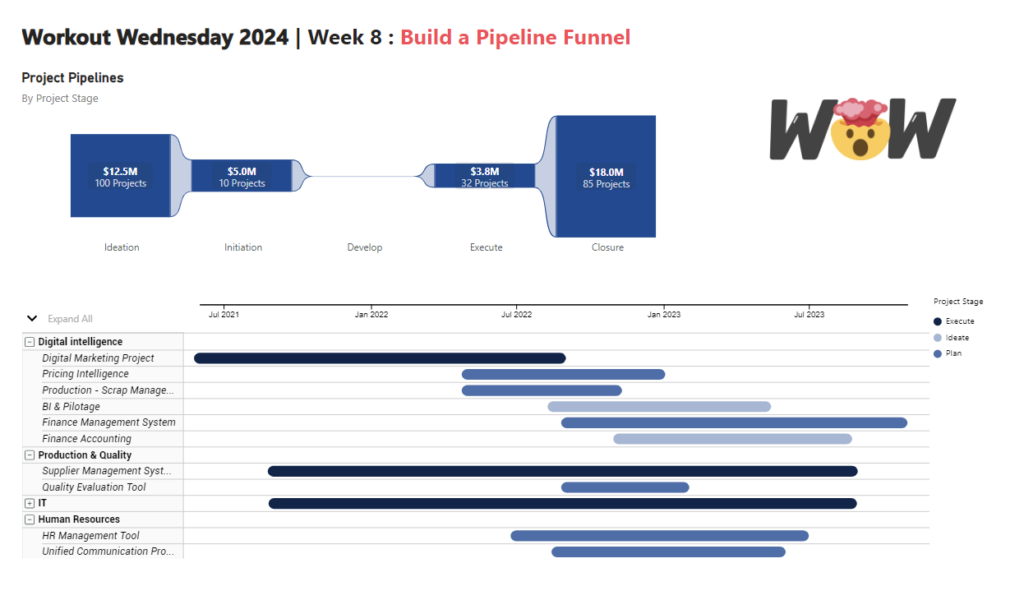
2024 Week 8 | Power BI: Build a Pipeline Funnel with Core Visuals

Introduction This week’s challenge we will be utilising visual calculations (this will require turning Visual Calculations on in Preview settings of February 2024 Desktop) and some additional new data label formatting options to create a pipeline funnel with out of the box visuals in Power BI. Visual calculations can be handy for visual specifiic calculations

2024 Week 8 | Power BI: Build a Pipeline Funnel with Core Visuals Read More »

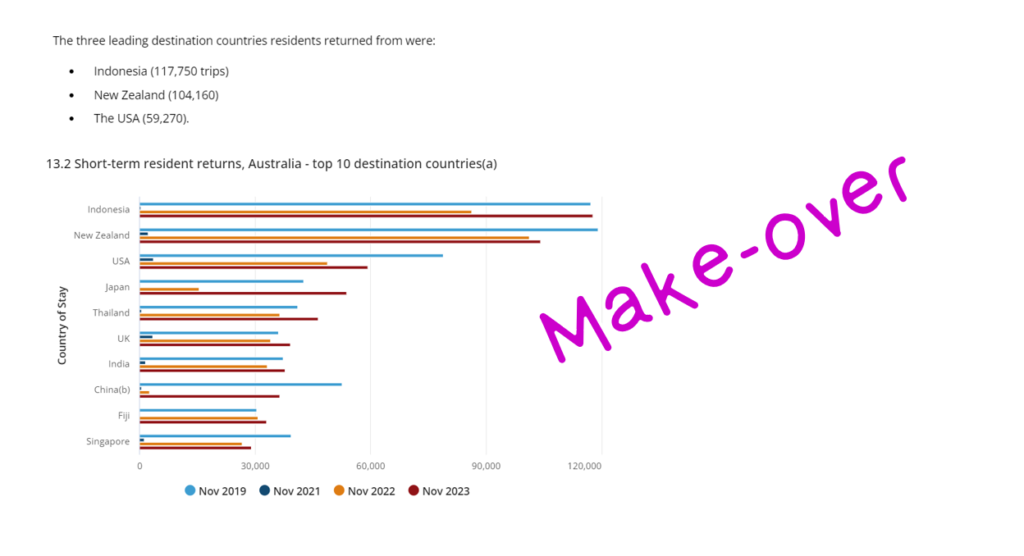
DataViz Makeover of bar chart

2024 Week 7 | Power BI: Report Re-design – Aussie trips to Indonesia

Introduction This week’s challenge is a little different, we will be looking to make-over a report from the Australian Bureau of Statistics. This report contains a lot of information and data sources to download, so it is up to you as to how much or how little you want to do. The primary challenge, however,

2024 Week 7 | Power BI: Report Re-design – Aussie trips to Indonesia Read More »

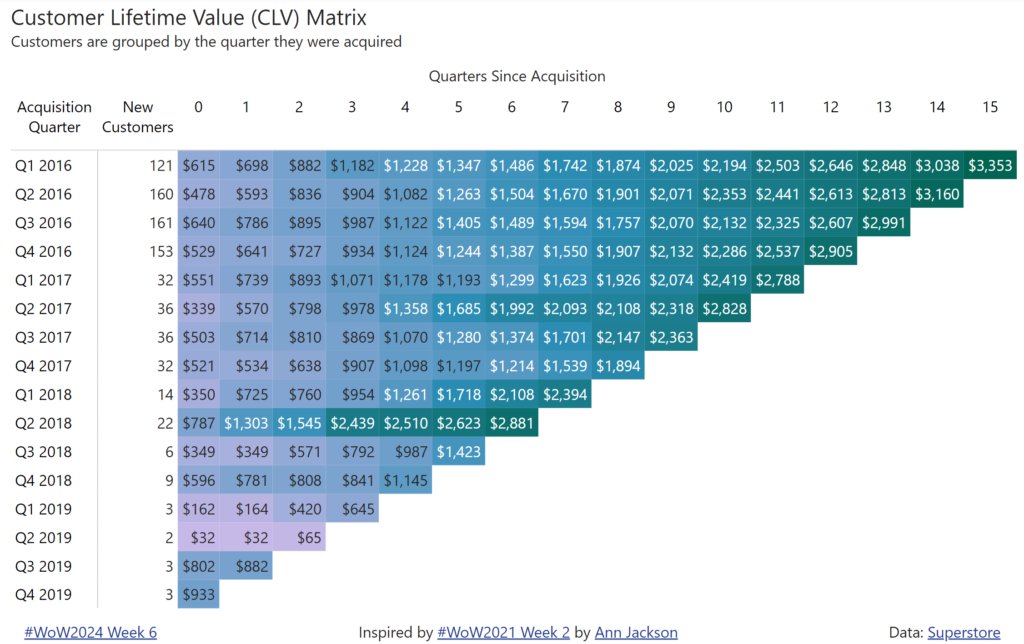
2024 Week 6 | Power BI: Customer Lifetime Value Matrix

Introduction Welcome back to Workout Wednesday! This week’s challenge is inspired by Ann Jackson, who created the challenge back in 2021 for the Tableau team. Let’s create a Customer Lifetime Value (CLV) Matrix, a tool that marketers use to segment customers based on their value and loyalty to a business. This helps marketers allocate resources

2024 Week 6 | Power BI: Customer Lifetime Value Matrix Read More »

2024 Week 4 | Power BI: Recreate this weather visual with overlapping columns

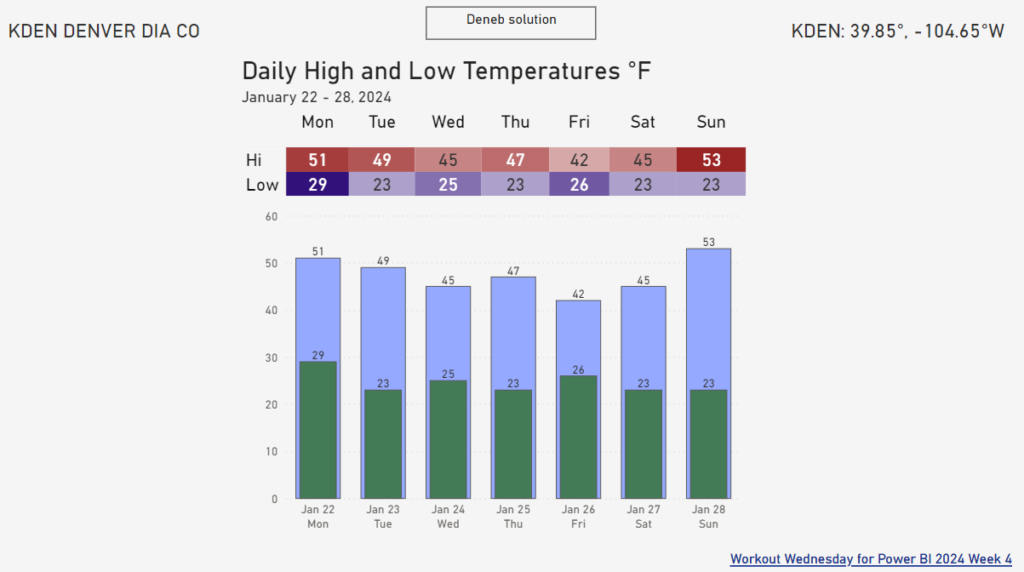
Introduction I keep seeing a particular visual shared by a Denver-area meteorologist on social media. It seems to be output from weathermodels.com.  I thought it might be fun to make a modified version in Power BI, so that is our challenge this week. While we don’t have native overlapping columns, there is a native solution

2024 Week 4 | Power BI: Recreate this weather visual with overlapping columns Read More »

2024 Week 3 | Power BI: Back to basics with a bar chart

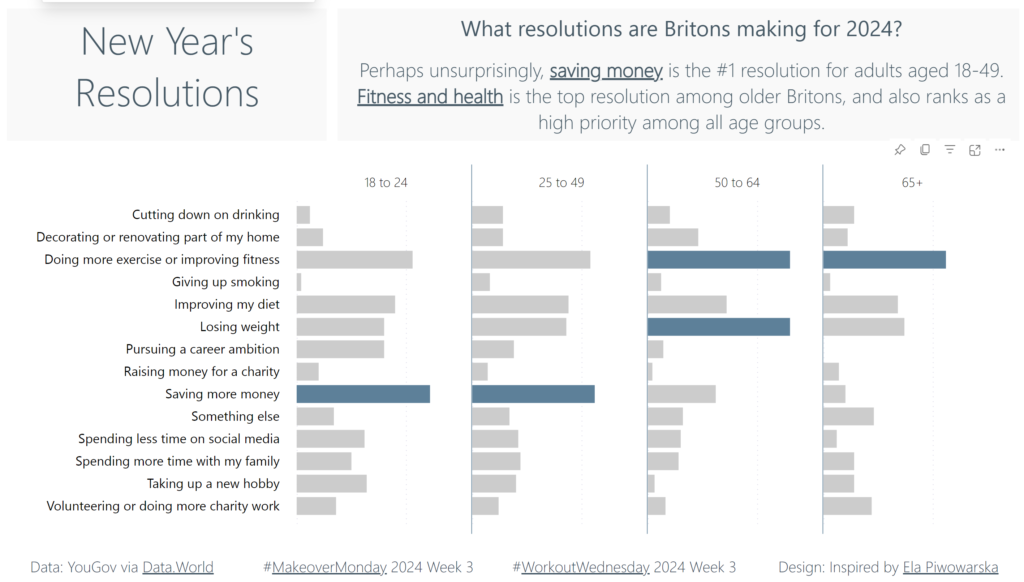
Introduction Welcome back to Workout Wednesday! We’re taking it back to basics this week and creating a bar chart that uses small multiples and conditional formatting. We’re using the #MakeoverMonday team’s data on New Year’s Resolutions and the design is inspired by a Makeover Monday participant! A huge thank you to Ela Piwowarska for creating her submission and

2024 Week 3 | Power BI: Back to basics with a bar chart Read More »