Introduction
Community Month is back! 🎉
To kick things off, Hideaki Yamamoto and Tomoki Goda from Japan Tableau User Group are bringing a challenge inspired by one of the Japan Tableau User Group’s beloved events.
Here’s a message from both of them!
Meet “Viz Tsukurima Show!” (VizTS), a fan-favorite speed-viz event hosted by JTUG.
It kicked off in 2020 and has been held annually ever since.
The idea is simple: you get a theme and a dataset, then you build a Tableau viz as fast as you can.
It’s all about quick decisions, clean design, and having fun with a little time pressure.
The requirements in this post are based on a real VizTS challenge from last year’s competition.
In that match, they read the requirements first, with the dataset already connected—and then they had just 10 minutes to build.
Want to try it the same way? Read the requirements, connect to the data, start your timer, and build.
When you’re done, shout “Tabutta!”—a playful made-up word that blends “Tab” (from Tableau) with a Japanese expression meaning “I did it!” or “Done!”.
Requirements
-
Layout
-
Dashboard size: 1000 x 800 pixels
-
Sheets: as many as needed
-
-
“Tabutta” Point 1
-
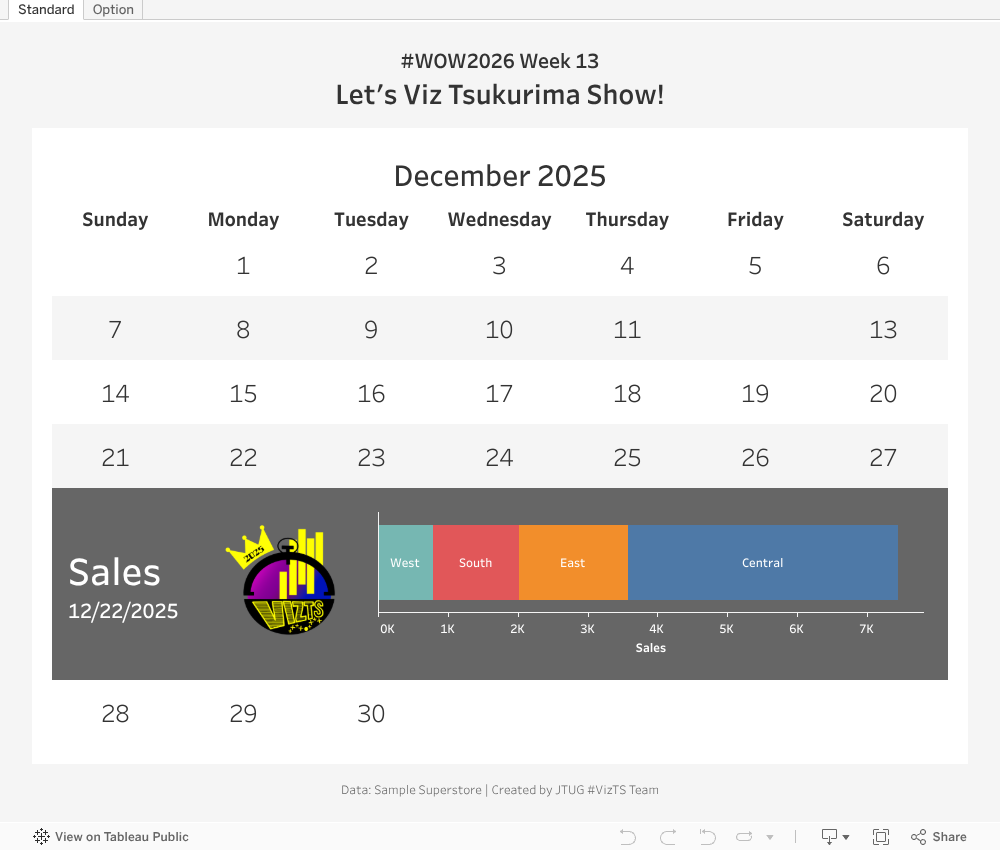
Create a calendar for December 2025 using Order Date
-
Display the year and month at the top of the calendar
-
Display the days of the week in the calendar header
-
Dates with no data do not need to be shown (e.g., Dec 12, Dec 31)
-
-
“Tabutta” Point 2
-
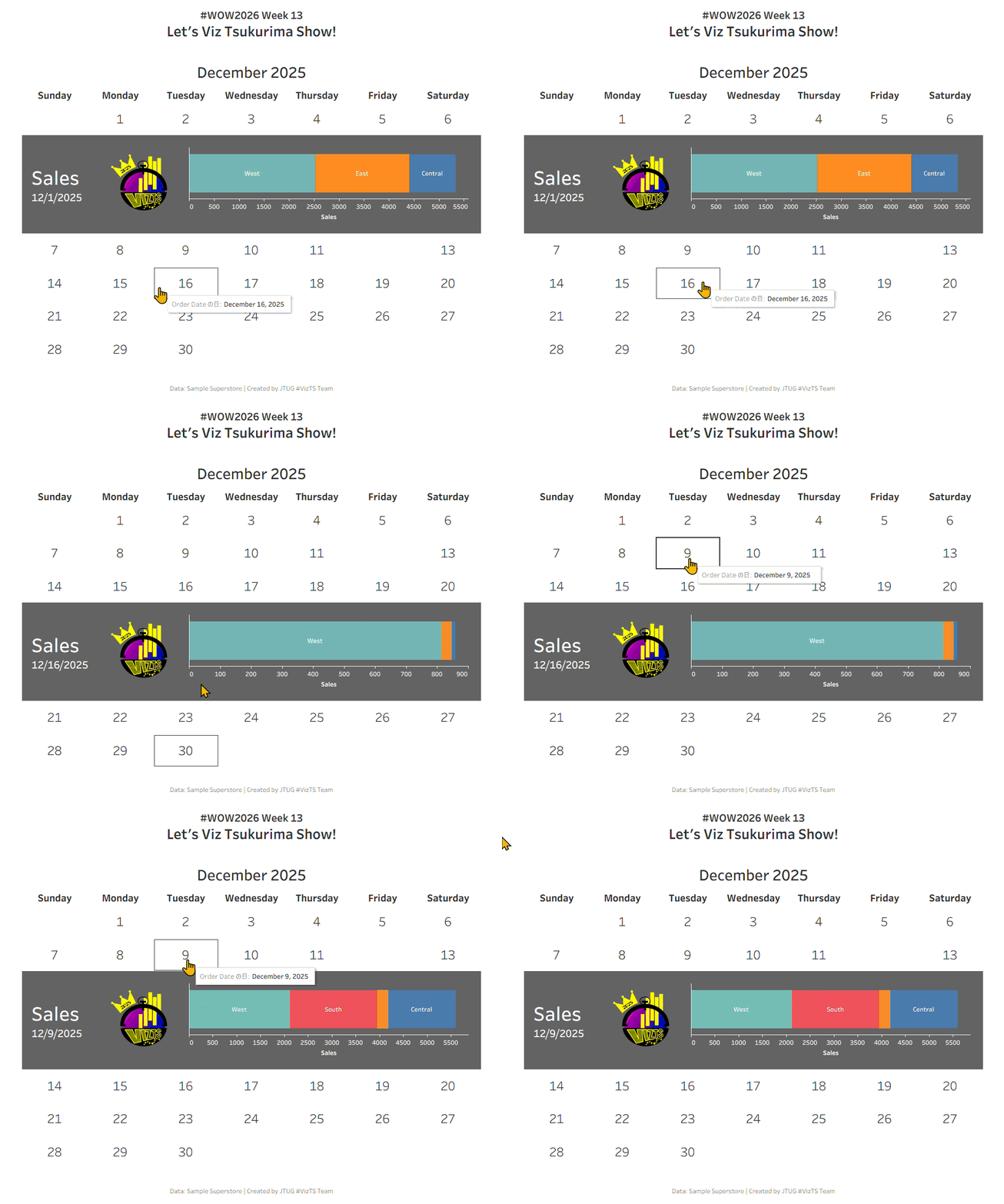
When a date in the calendar is selected, display a horizontal bar chart of Sales by Region for that date
-
Display “Sales” and the selected date next to the bar chart
-
Place the #VizTS logo between the title and the bar chart
-
-
“Tabutta” Point 3
-
Display a horizontal bar chart of Sales directly below the selected week
-
Ensure that all seven days of the week are always displayed for each week
-
Ensure that all dates fit within a single screen
-
-
Optional
-
Add a circular background to each date, and make the selected date darker
-
When the same date is clicked again, hide the Sales bar chart
-
Dataset
You can find the dataset and logos here.
Attribute
When you publish your solution on Tableau Public make sure to take the time and include a link to the original inspiration. Also include the hashtag #WOW2026 in your description to make it searchable!

Share
After you finish your workout, share on X and/or LinkedIn using the hashtag #WOW2026 #Tableau #VizTS and tag @WorkoutWednsday. Also, come join us in the Workout Wednesday channel on the Tableau Community Slack!