
The goal of this challenge is to create a dashboard using the AI Assistant. Look for this icon in the lower left corner of your workbook:
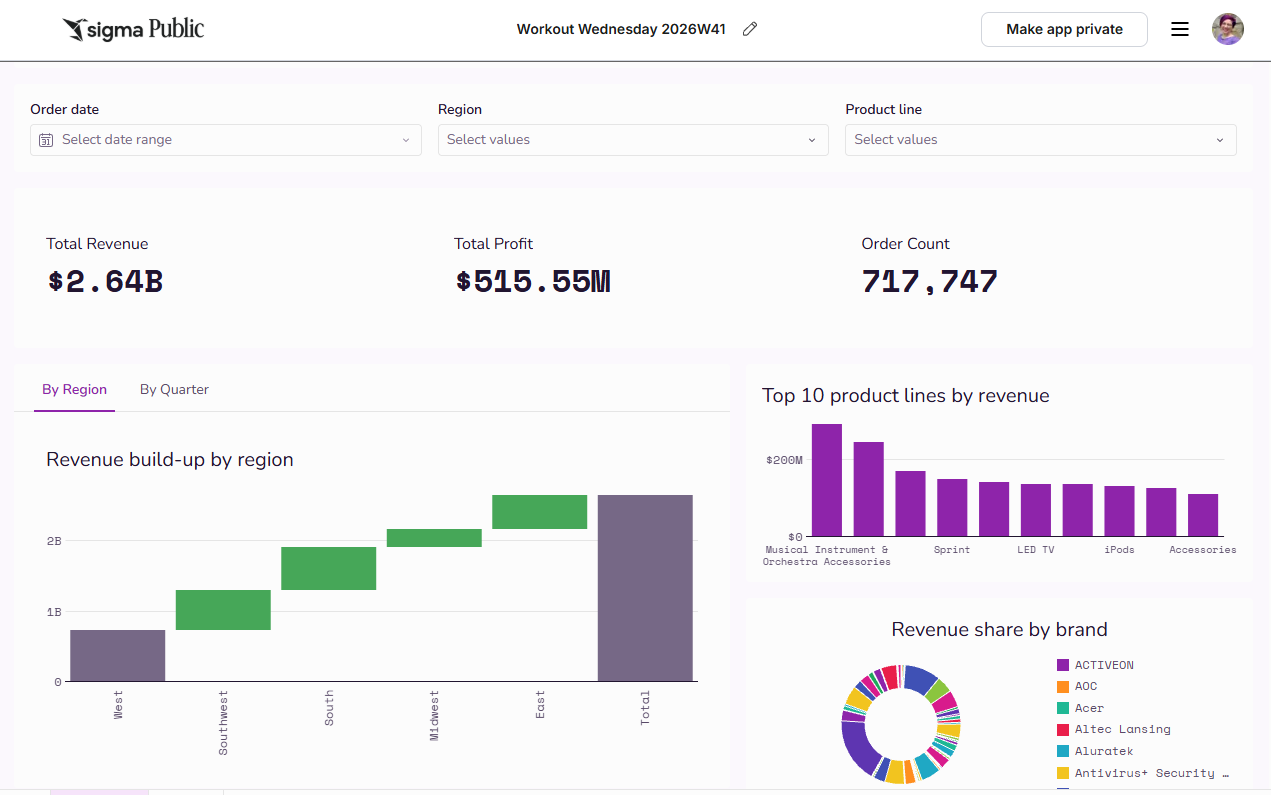
Ask the Assistant to build a particular workbook based on a dataset of your choosing from the Sample Database.
Be sure to ask it to utilize at least one of its new capabilities, released last week. In my example, I had it build a waterfall chart:
- Dynamic dashboard layouts: Design dashboards that default to a dynamic layout featuring a prominent hero chart or KPI alongside other elements of varied widths and height. This design creates a visual hierarchy that’s easier to scan and emphasizes key charts and metrics.
- Page duplication: Duplicate a page, including its width, background color, header, sidebar, and synced controls.
- Page and container background images: Configure background images on pages and containers, including image source, fit, and alignment.
- Waterfall charts: Create a waterfall chart to compare the positive and negative changes across categories over time.
- Progress bars and rings: Create a progress bar or ring to show progress toward a goal. Convert between shapes, set progress as a percentage or bounded value, and configure formatting, text, and color rules.
- Workbook layout settings: Enable a custom mobile layout independent of the desktop layout (Custom mobile layout setting), and show the layout grid while building (Always show grid setting).
Tips
- I like to bring my data into a table in the workbook and reference it in my prompt
- Building will take the Assistant some time to complete. Utilize plan mode first for best results. Feel free to go back and forth until you have something you would be happy to see it build.