
Introduction
Welcome to Week 34 of 2026!
Do you leverage Sigma Input Tables to produce critical data that supports downstream data marts, joins, or reporting that could be impacted by a breaking change?
This example shows you how you may leverage multiple layers of Sigma Input Tables to create a staging area that checks values entered by the user before being saved as a source of truth.
Good luck!
-Stanley
Need access to Sigma Public?
Requirements
Data Page
- D_Product Table connected to Sample Database – Plug Electronics – D_Product
- D_Promo_Type table for a defined list of promotion type, you could use an input table as a placeholder
- An empty input table named policy history, collecting the following fields: Product Group, Promo Type, Promo Value, Start Date, End Date
Home Page
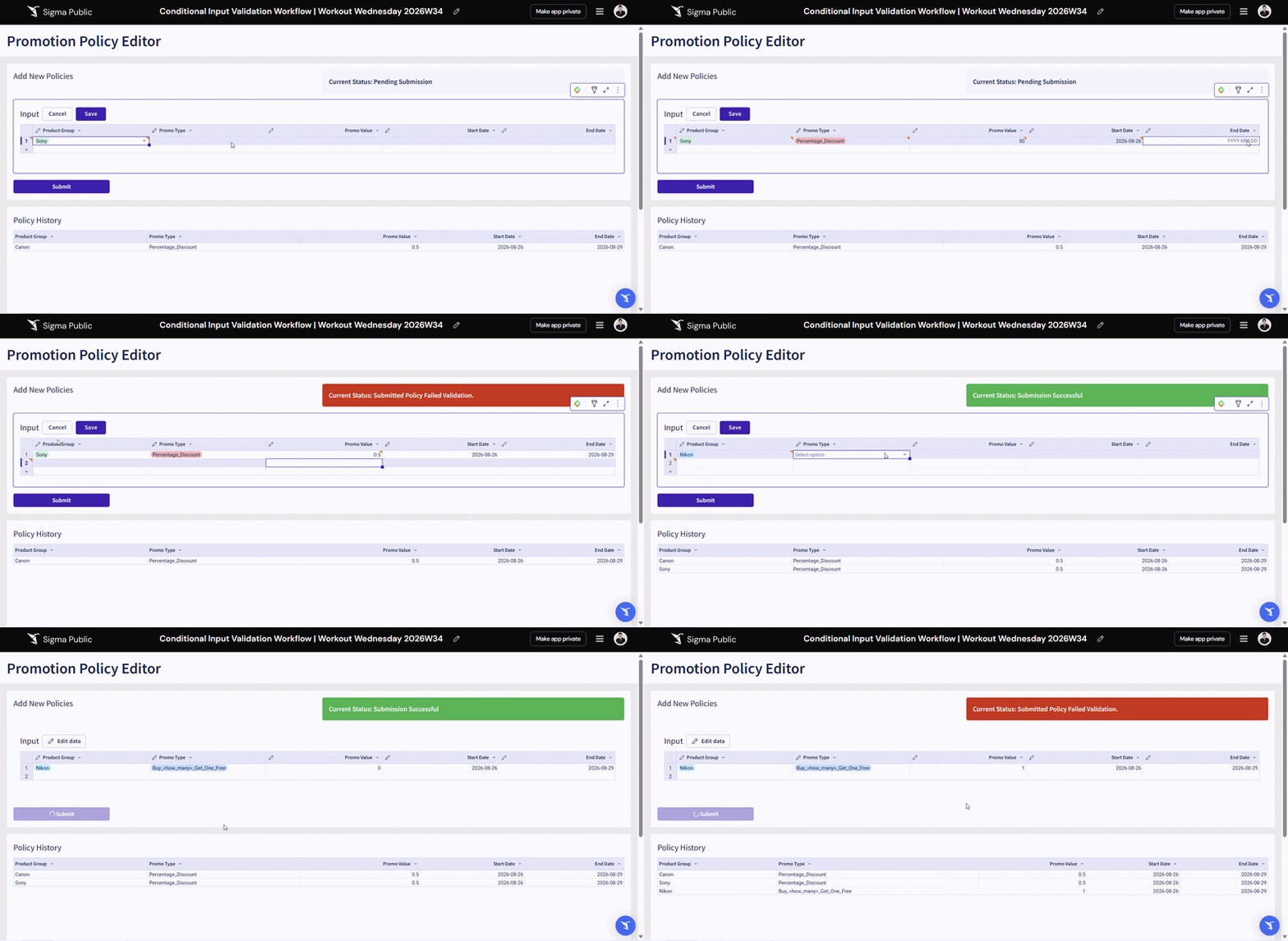
- An empty input table to be used as a staging area for user input, with the same fields as the policy history table
- A child table of the policy history input table to view all submitted policies
- A tabbed container with 3 hidden tabs, each displaying a status message to instruct user what to do while the policy submission is pending, successful, or failed
- A button with actions configured with If/Else statement to check
- If the user submitted 0 for the BOGO promo type, return an error message and switch to status container tab to error
- If the user submitted a value greater than 1 for the percentage promo type, return an error message and switch to status container tab to error
- If the user submitted a Start Date great than End Date, return an error message and switch to status container tab to error
- Else, insert the submitted row to the policy history input table, switch the status container tab to success and clear all rows in the staging input table
Control Panel
- A text control to store the error message when an error is triggered
Error Message Modal
- Display the error message saved in the error message control
Want more clarification? Duplicate my workbook in Sigma Public and see how exactly it is configured!
Dataset
Sigma Sample Database – Retail – Plug Electronics
Share
After you finish your workout, share on LinkedIn, Sigma’s Community page, (or Twitter) using the hashtags #WOW2026 and #Sigma, and tag Ashley Bennett, Stanley Gai, Jessica Batten, Eric Heidbreder, and Carter Voekel!
Also, make sure to fill out the Submission Tracker so that we can count you as a participant this week to track our participation throughout the year.