Intermediate

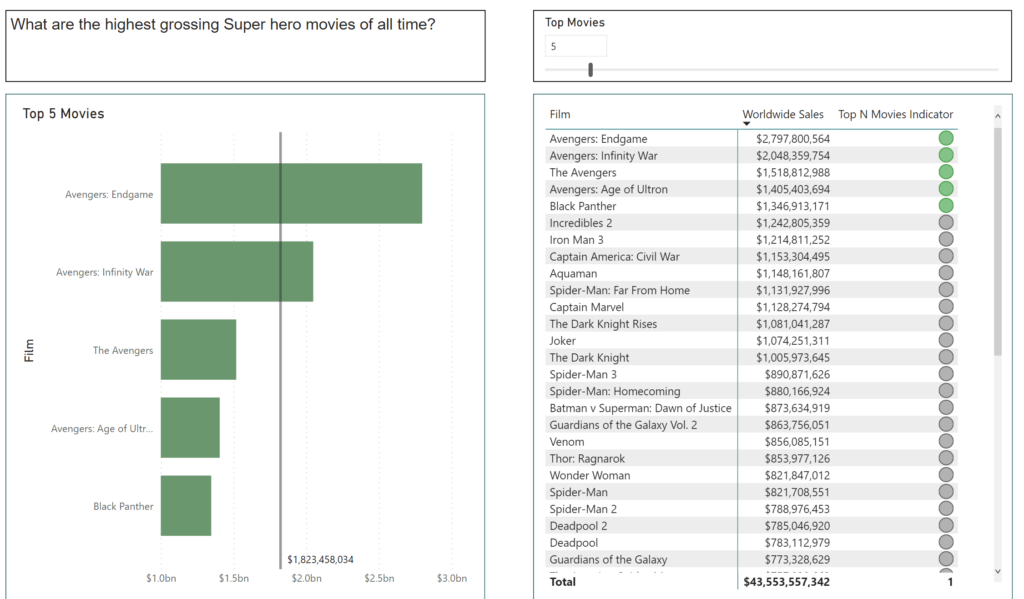
2021 Week 37 | Power BI: What-If Parameters

Introduction This week’s Workout Wednesday we will be using “What-If” Parameters to show Top N values based on user selection. What-If Parameters can allow your audience to have more self-service interaction with the dashboard. For this challenge, we will be visualizing the Top N Movies based on Worldwide sales, as well as leveraging conditional formatting to […]

2021 Week 37 | Power BI: What-If Parameters Read More »

Power BI Magic Tables

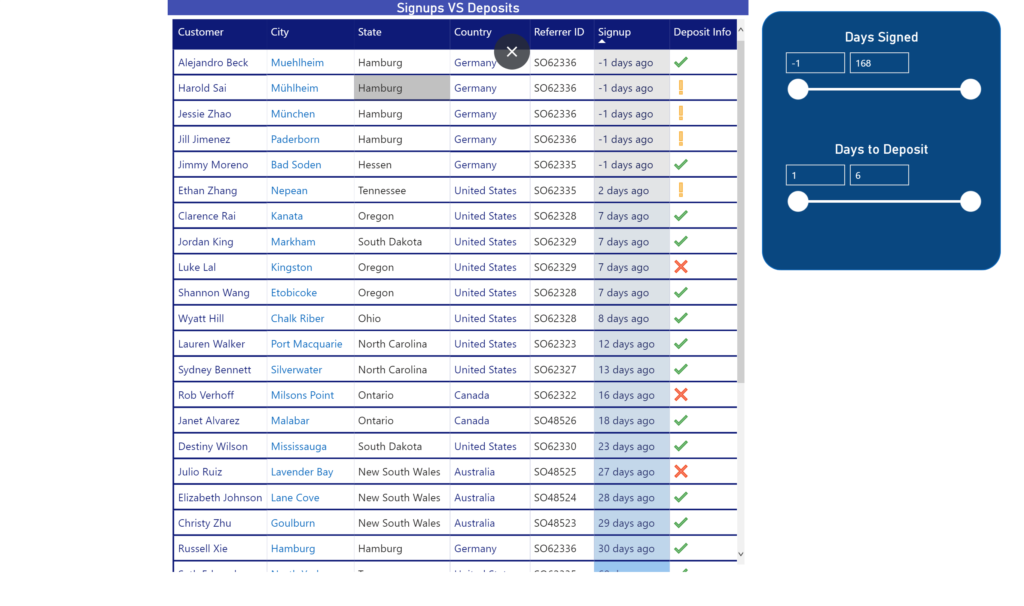
2021 Week 33 | Power BI: Create Magic Tables

Introduction Tables, tables, tables…Love them, or hate them, we, Power BI developers, can’t live without them. Our users too. However, who says that we must provide our users with “normal”, old-fashioned tables? This week, with little creativity and magic, we will push table visual experience to a whole new level! The report below shows data about

2021 Week 33 | Power BI: Create Magic Tables Read More »

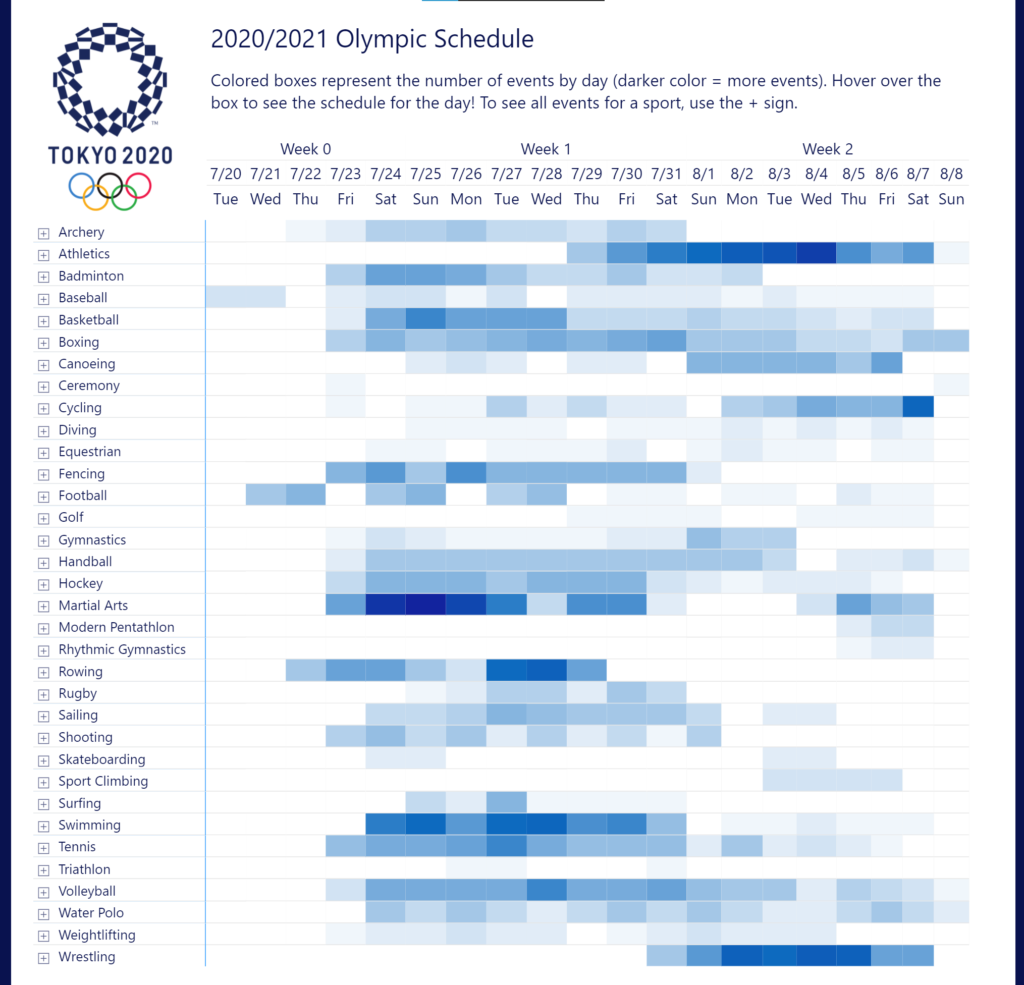
2021 Week 29 | Power BI: Let’s Watch the Olympics!

Introduction This week we are collaborating with Preppin’ Data to get a close look at the schedule for the 2020 Olympic Games! We’re also collaborating with the Tableau team and we invite you to take a look at both challenges! With the opening ceremony 2 days away, we thought we’d visualize the schedule in our own time zone. We encourage you

2021 Week 29 | Power BI: Let’s Watch the Olympics! Read More »

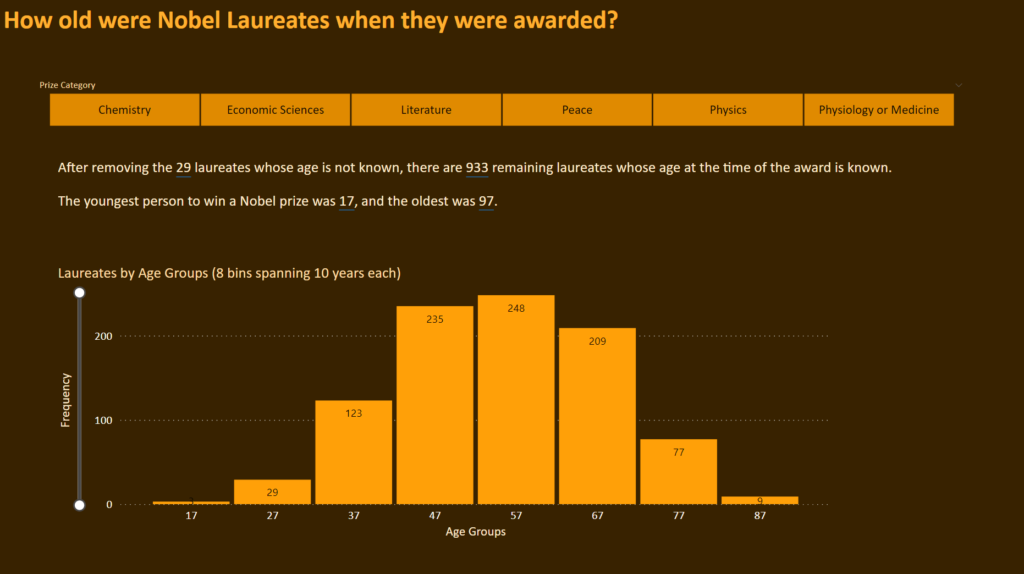
Power Bi 2021 week 26 showing a histogram with 8 even bins

2021 Week 26 | Power BI: Make a Histogram with Equal Size Bins

Introduction This is our last week using the Nobel Prize data. We are again looking at the age of the laureate when they were awarded the prize. This time we will examine it using a histogram. Histograms measure the distribution of data within defined ranges. So we are calculating age and creating bins of equal

2021 Week 26 | Power BI: Make a Histogram with Equal Size Bins Read More »

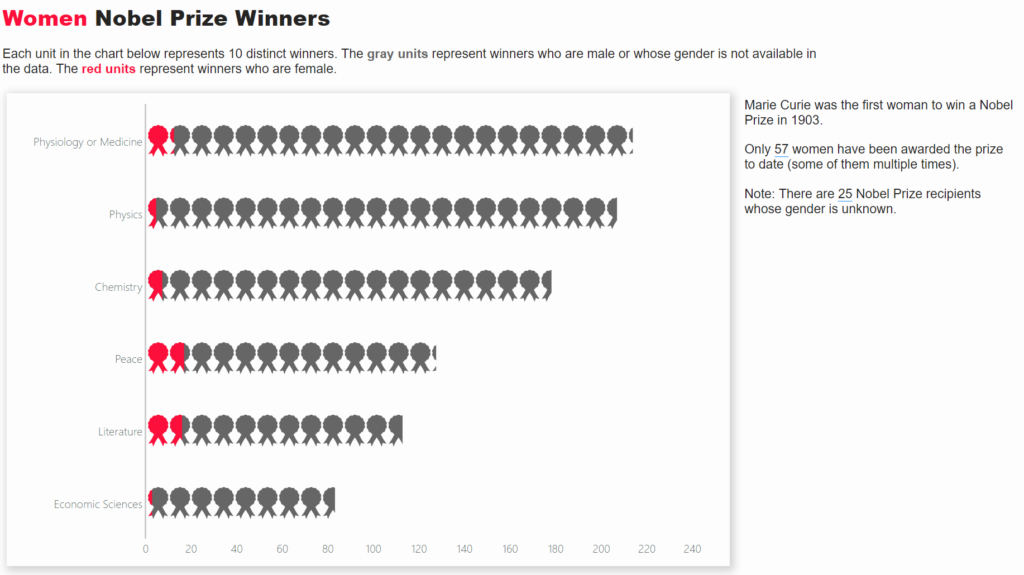
Isotype visual showing female Nobel prize winners

2021 Week 24 | Power BI: Create an Isotype Visualization

Introduction This week we are continuing with the Nobel laureates data and taking a look at gender diversity of Nobel laureates. We’ll do this by using an isotype visualization. Isotype visuals use an icon that is related to the subject matter being depicted and often use multiples to represent quantitative data. You can learn more about

2021 Week 24 | Power BI: Create an Isotype Visualization Read More »