Power BI

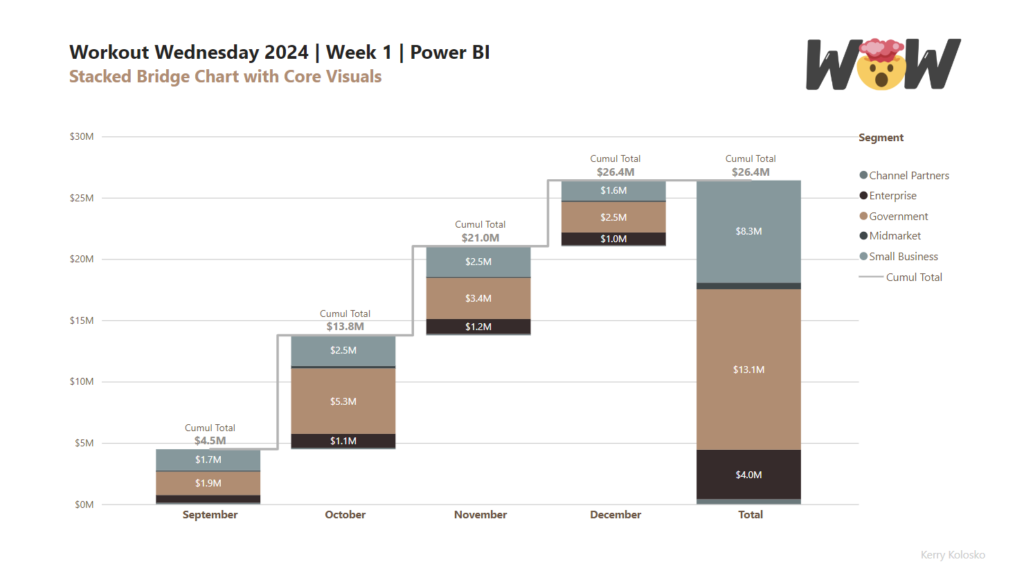
2024 Week 1 | Power BI: Stacked Bridge with Core Visual

Introduction This week’s challenge builds on last weeks challenge to utilise updated column fill and data labelling features from the Power BI December 2023 release. The challenge will be to create a stacked bridge chart using the core column and line combo chart. Building the bridge will require calculated tables. Intermediate users can use the […]

2024 Week 1 | Power BI: Stacked Bridge with Core Visual Read More »
2023 Week 52 | Power BI: Format Bar Charts with Transparency, Borders, and Detail Labels

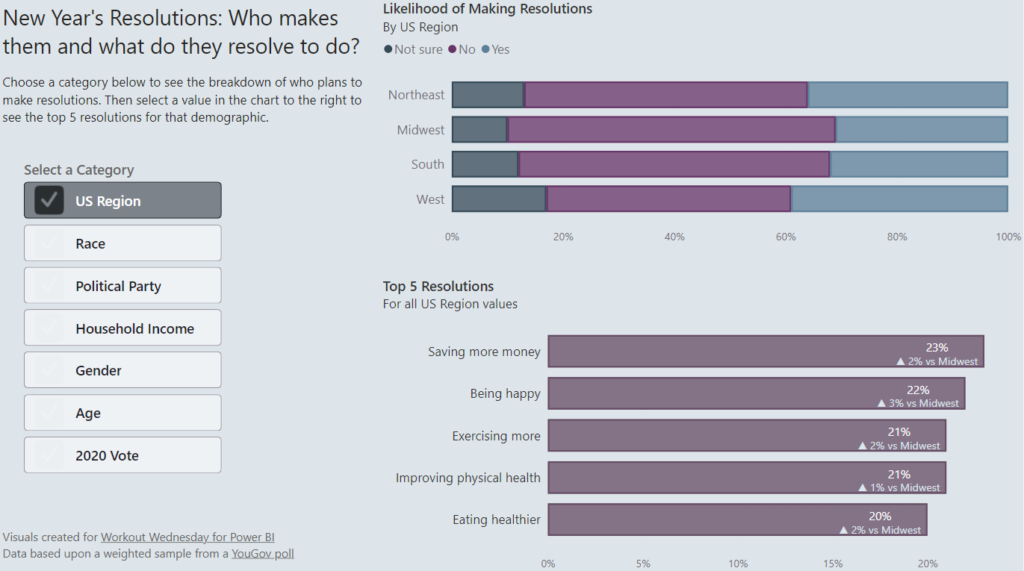
Introduction In the December 2023 release of Power BI Desktop, some new formatting options were added for bar charts. These enhancements allow us to add borders around bars (and segments of bars for stacked bar charts), change the transparency of the fill color in a bar, and add secondary metrics to data labels.  With the

2023 Week 52 | Power BI: Format Bar Charts with Transparency, Borders, and Detail Labels Read More »

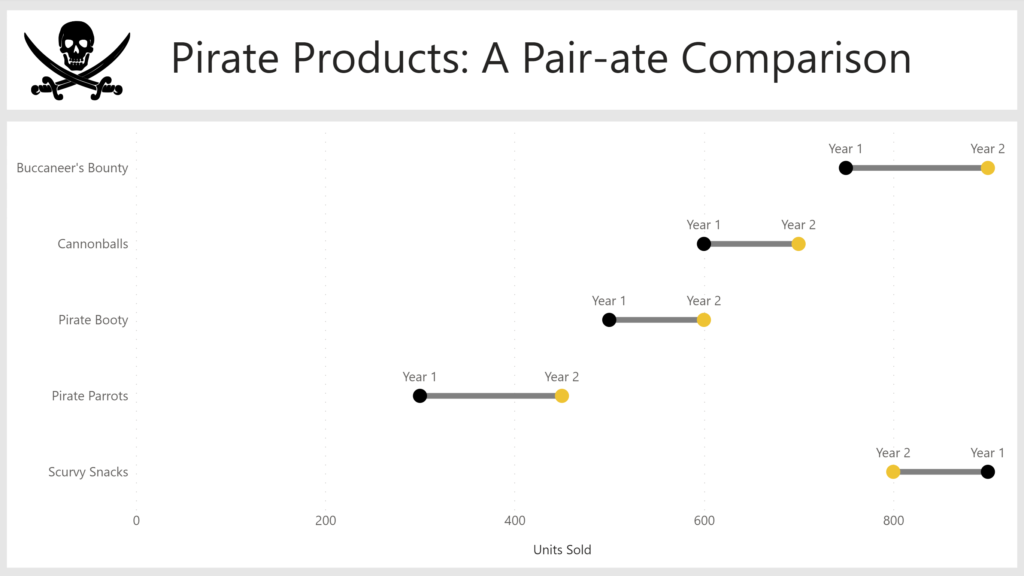
2023 Week 45 | Power BI: Create a dumbbell chart with Deneb

Introduction Welcome back to Workout Wednesday! This week we’re creating a dumbbell chart to compare 2 sets of values using Deneb! If this is your first time using Deneb I highly recommend you play around with either the Vega or Vega-lite languages in the online editor, where you can load the code from examples, amend it,

2023 Week 45 | Power BI: Create a dumbbell chart with Deneb Read More »

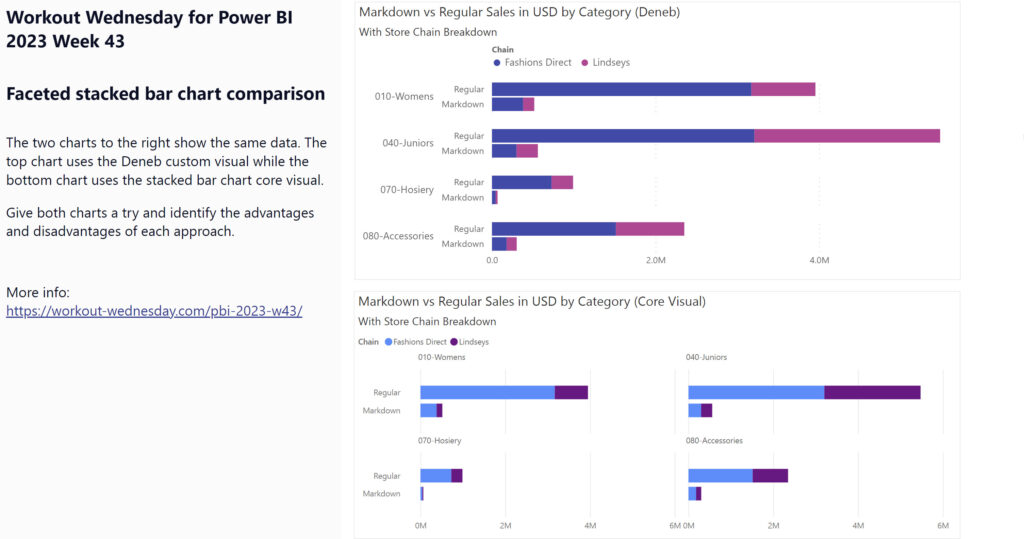
2023 Week 43 | Power BI: Faceted Stacked Bar Chart Comparison

Introduction This week’s challenge looks at two options for making faceted charts with multiple measures: the Deneb custom visual and the Stacked Bar Chart core visual. The charts compare two different measures across two attributes. You’ll have to get a little creative to accomplish this in both chart types.  Requirements Get the sample dataset from

2023 Week 43 | Power BI: Faceted Stacked Bar Chart Comparison Read More »