Author name: Luke Stanke

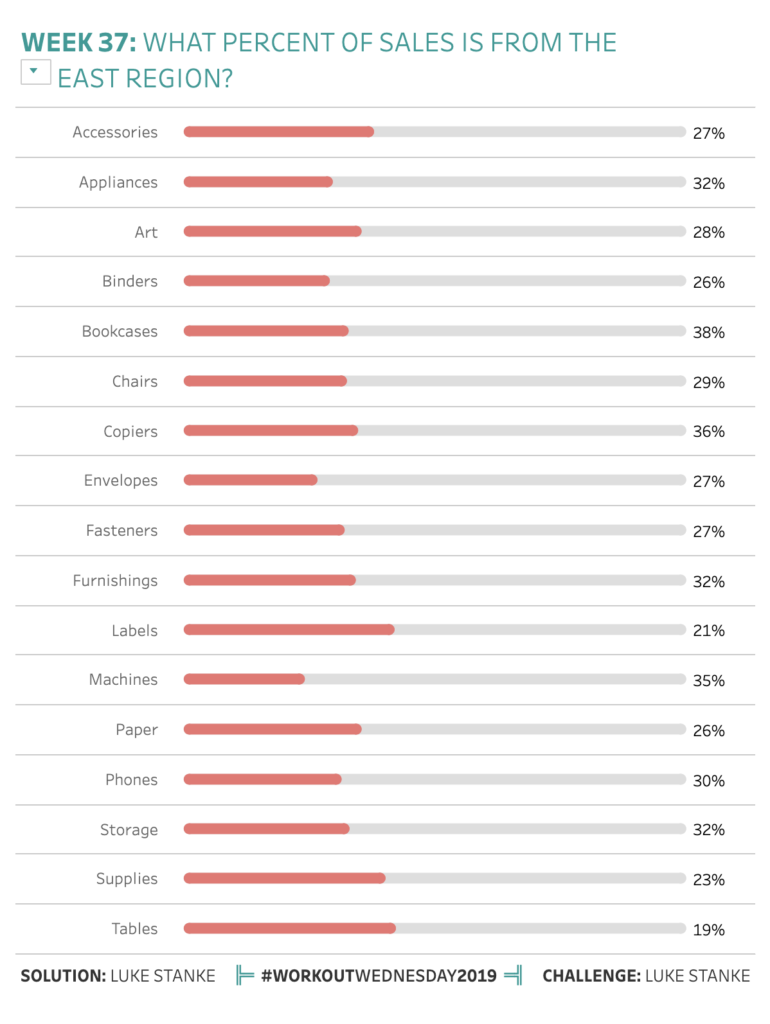
2019 Week 37: What percent of sales is from the east region?

This week we are making bar charts. Of course, this week there is a small twist to the bar charts. The ends of the bar charts need to be rounded. There are several ways to do this. I’d personally suggest unioning the data to itself–but like I said, there is more than one way to […]

2019 Week 37: What percent of sales is from the east region? Read More »

Tableau, Workout Wednesday
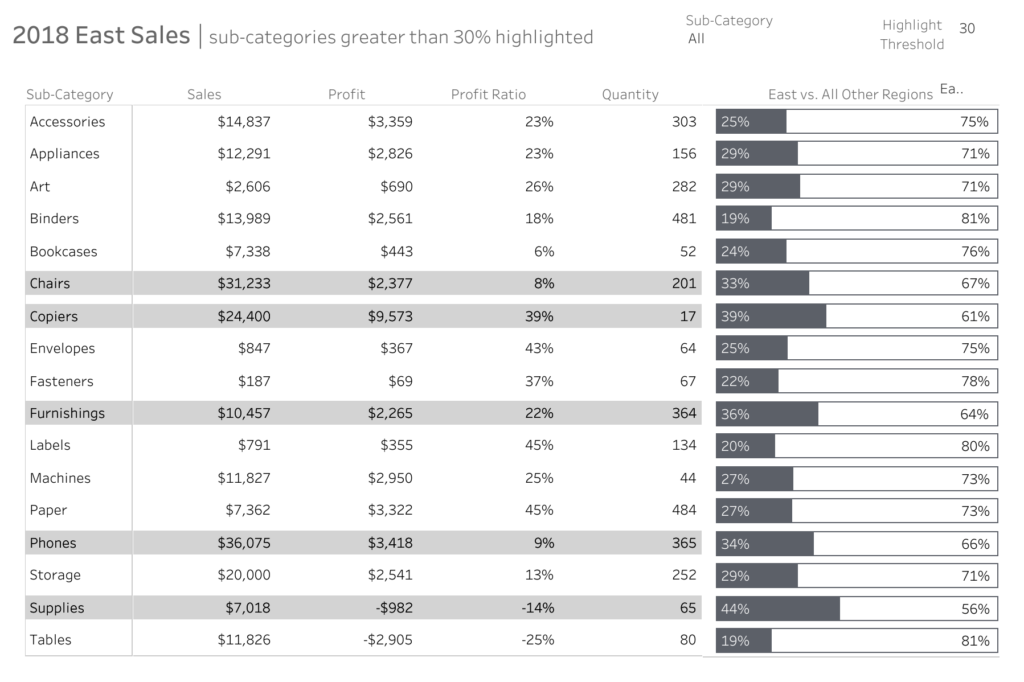
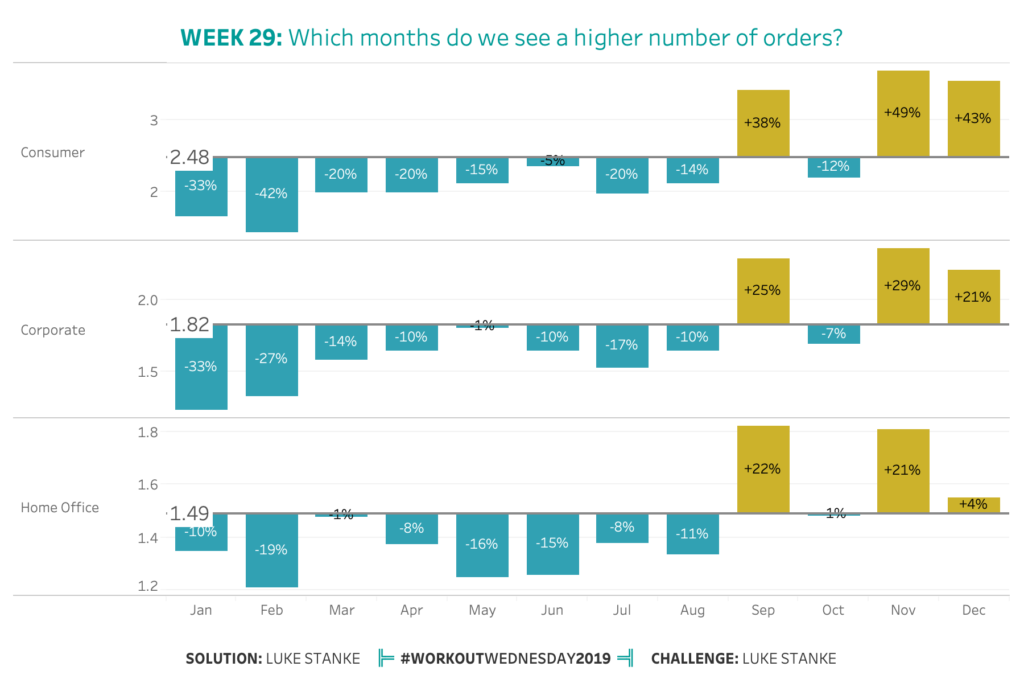
2019 Week 33: 2018 IronViz Finalist Corey Jones’s Table Challenge

This week are excited to continue the community challenge month by welcoming Corey Jones. Based out of Philadelphia, Corey was a 2018 IronViz Finalist and is an avid sports fan. One of the great things that comes with working with a talented team is that you have the opportunity to learn from and push each

2019 Week 33: 2018 IronViz Finalist Corey Jones’s Table Challenge Read More »

Tableau, Workout Wednesday
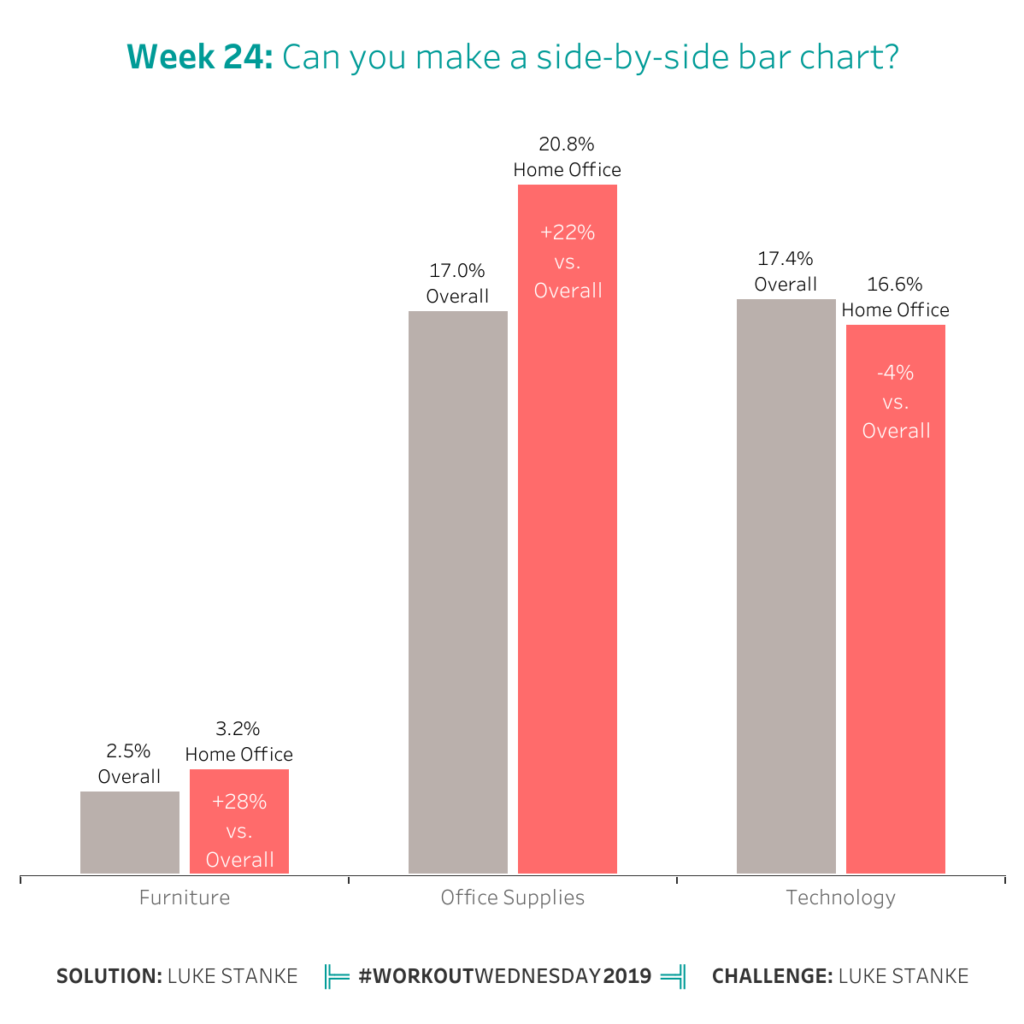
2019 Week 29: Which months do we see a higher number of orders?

Last week we were putting together a deck for an executive team and we wanted to show the seasonality of data while still showing the overall average. In our time crunch we came up with our challenge for this week!p Challenge – Intermediate Click image to view on Tableau Public Requirements – Intermediate Format: 900px

2019 Week 29: Which months do we see a higher number of orders? Read More »

Tableau, Workout Wednesday
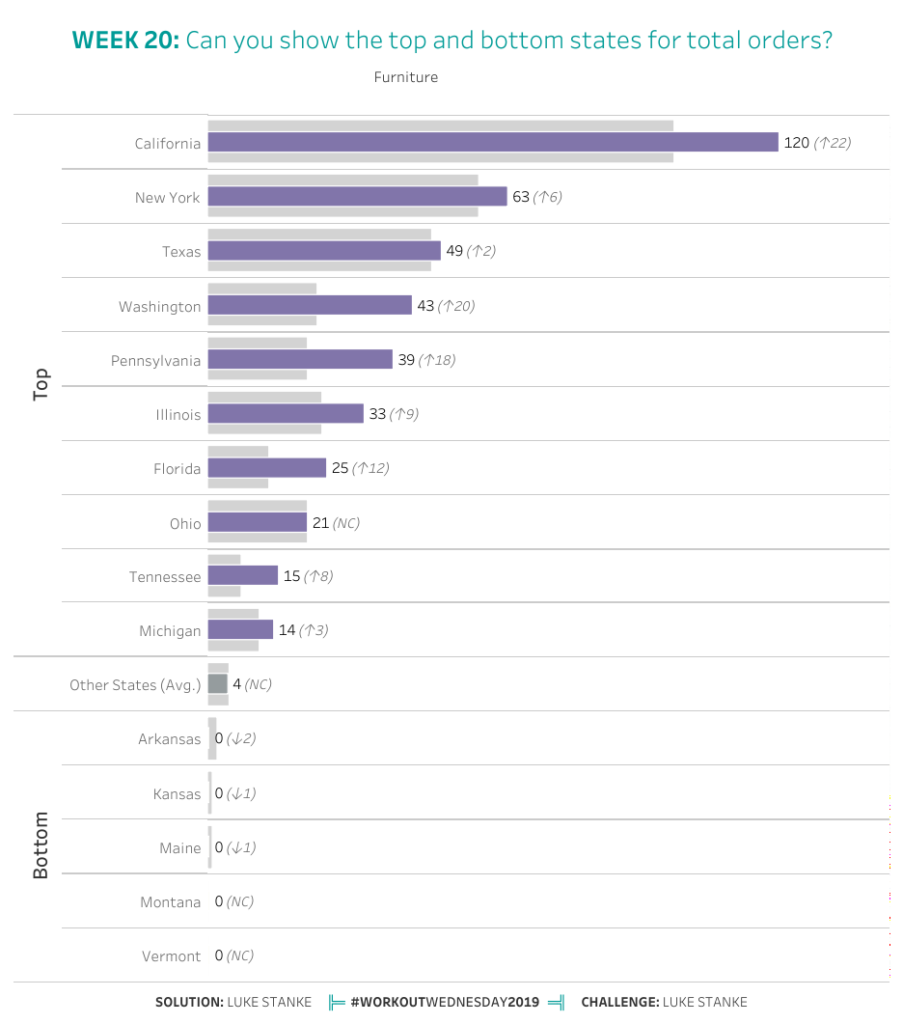
2019 Week 24: Can you build a side-by-side bar chart?

This week you need to build this side-by-side bar chart. There are a couple of tricks but you should be able to do this in under 30 minutes (for real!). There are at least 4 ways to solve this problem. There are also two problems an intermediate and an advanced. Challenge – Intermediate Click image

2019 Week 24: Can you build a side-by-side bar chart? Read More »

Tableau, Workout Wednesday
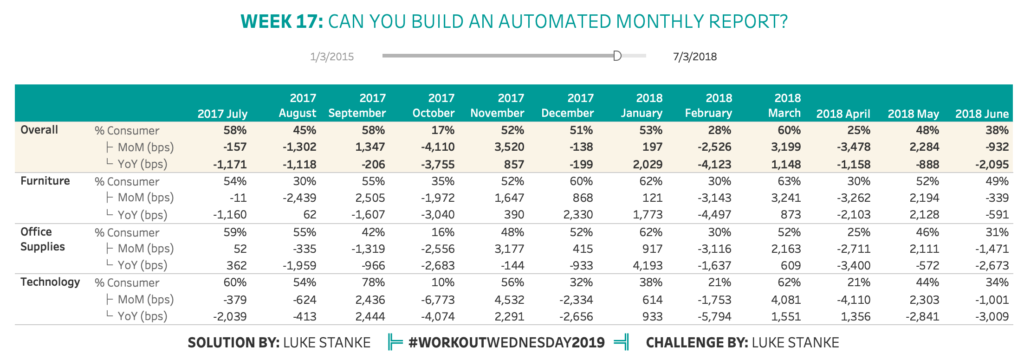
2019 Week 20: Can you show the top and bottom states for total orders

This week Ann and I are doing a live Workout Wednesday for the San Fransisco Bay Area Tableau User Group, so I tried to make sure this challenge can be done in 30 minutes. Challenge Click image to view on Tableau Public Requirements Format: 750px by 850px Create a bar-on-bar chart that shows: A top

2019 Week 20: Can you show the top and bottom states for total orders Read More »

Tableau, Workout Wednesday
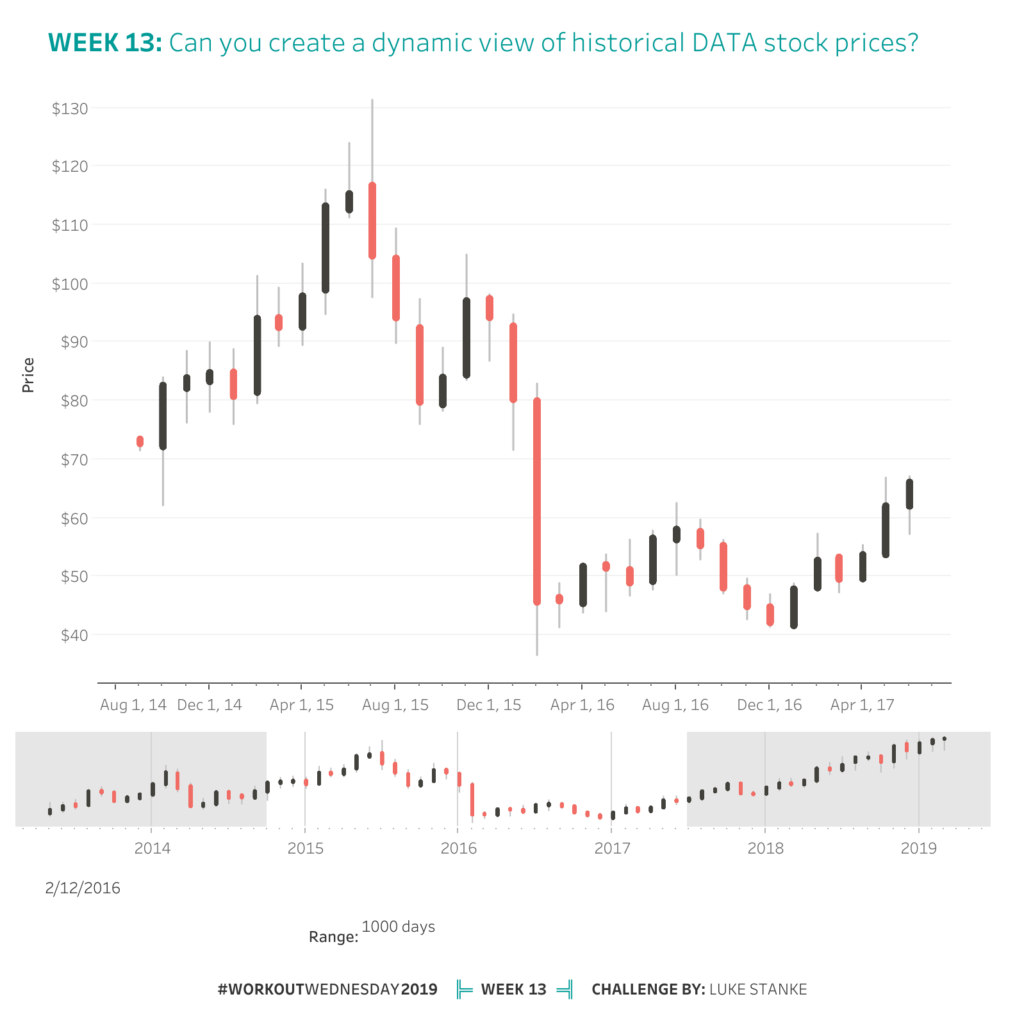
2019 Week 13: Can you create a dynamic view of historical DATA prices?

This week were taking a look at Tableau Stock prices using candlestick charts. So whats different about this? The dates aggregate at differet levels depending on the number of candlesticks! This challenge is not easy so there are 2 achievement levels. You can make this chart using either a gantt chart or by unioning the

2019 Week 13: Can you create a dynamic view of historical DATA prices? Read More »

Tableau, Workout Wednesday
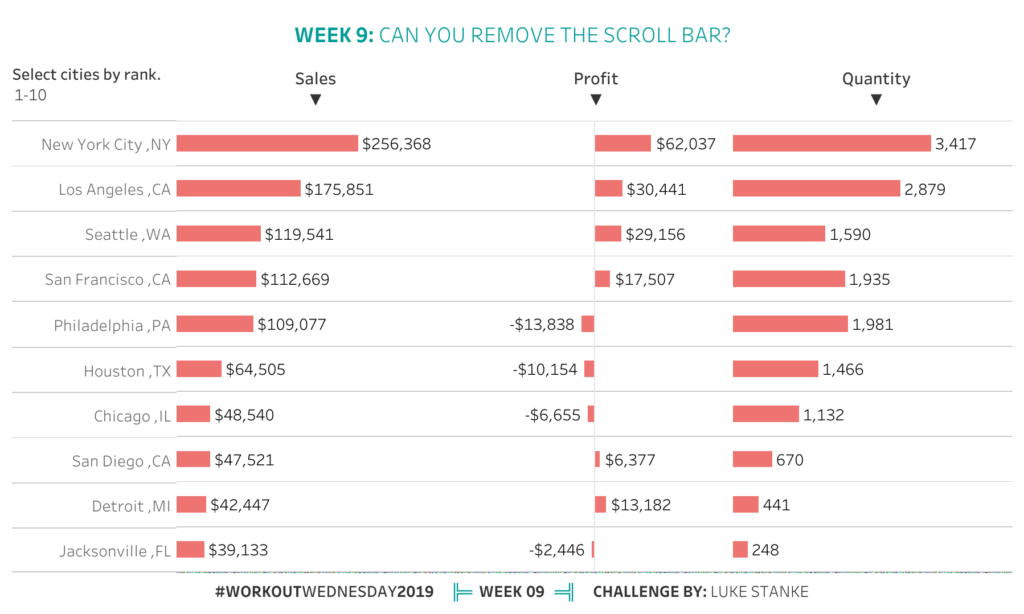
2019 Week 9: Can you remove the scroll bar?

When I started Workout Wednesday I made a list of potential challenges. This challenge was the second challenge I wrote down. After more than 20 challenges I’ve finally gotten around to sharing it! Challenge Click to view on Tableau Public Requirements Format: 1000px by 600px Create a visualization with bar charts that show total sales,

2019 Week 9: Can you remove the scroll bar? Read More »

Tableau, Workout Wednesday