Power BI

Sample Power BI report

2023 Week 21 | Power BI: Create a Theme – With a Twist!

Introduction This week, we’re building on Shannon’s theme from Week 17 2022 by creating a custom Power BI theme–with a twist!   Instead of manually selecting colors, this week you’ll use OpenAI’s free version of ChatGPT (or your Large Language Model (LLM) of choice) to create a theme. You’re in control of your prompts, and […]

2023 Week 21 | Power BI: Create a Theme – With a Twist! Read More »

baseball length column chart

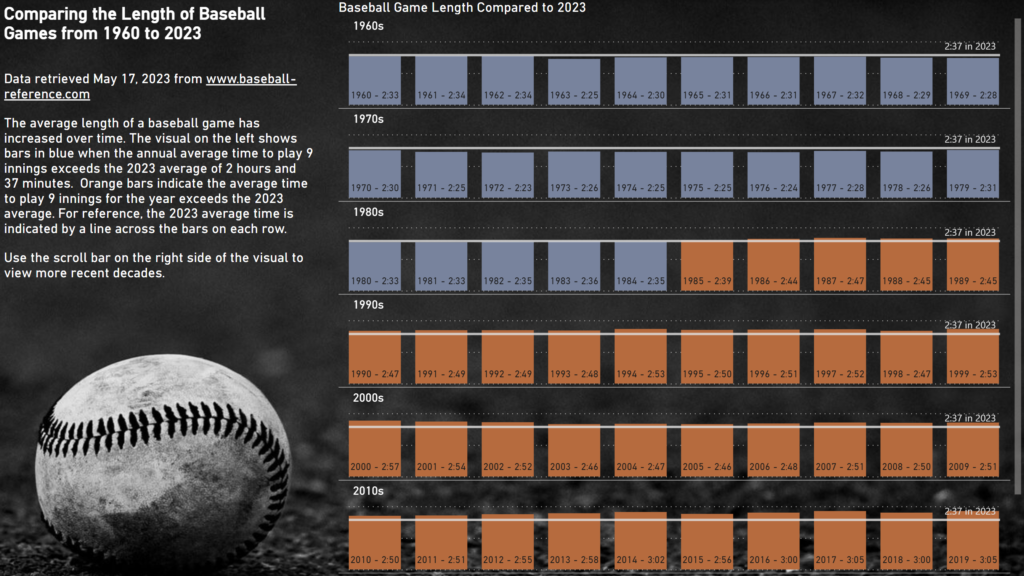
2023 Week 20 | Power BI: Remake of Tableau Length of Baseball Games

Introduction For this Workout Wednesday, we are putting a Power BI spin on a Tableau viz created by Luke Stanke and Spencer Bauke for their Workout Wednesday 2023 Week 14.  While we could probably match nearly exactly to the original Tableau viz by using Deneb in Power BI, I wanted to see what I could

2023 Week 20 | Power BI: Remake of Tableau Length of Baseball Games Read More »
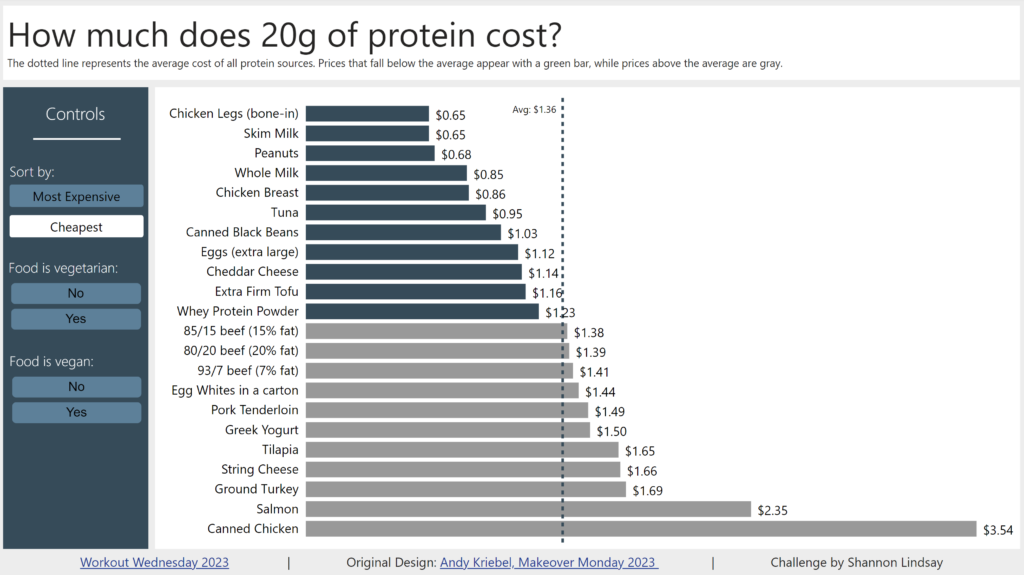
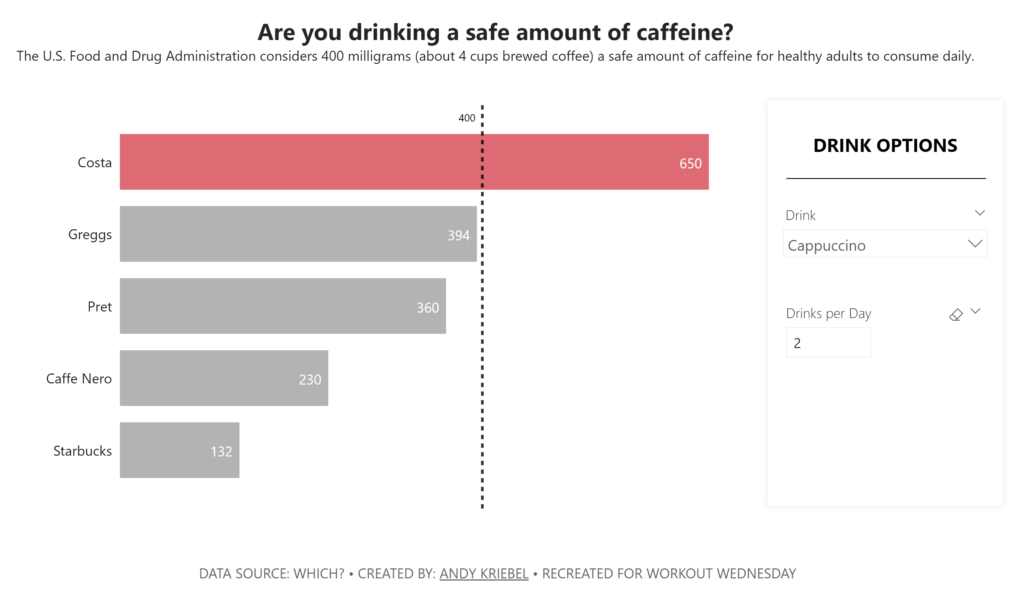
2023 Week 19 | Power BI: Formatted bar chart and bookmark navigator

Introduction Welcome back to Workout Wednesday! We’re taking inspiration once again from our friends at Makeover Monday. This one is fun – the Makeover Monday team was inspired by a bar chart featured in a blog post and they decided to recreate it in Tableau! You can read Andy’s full post on his blog if you want more info.  Today

2023 Week 19 | Power BI: Formatted bar chart and bookmark navigator Read More »

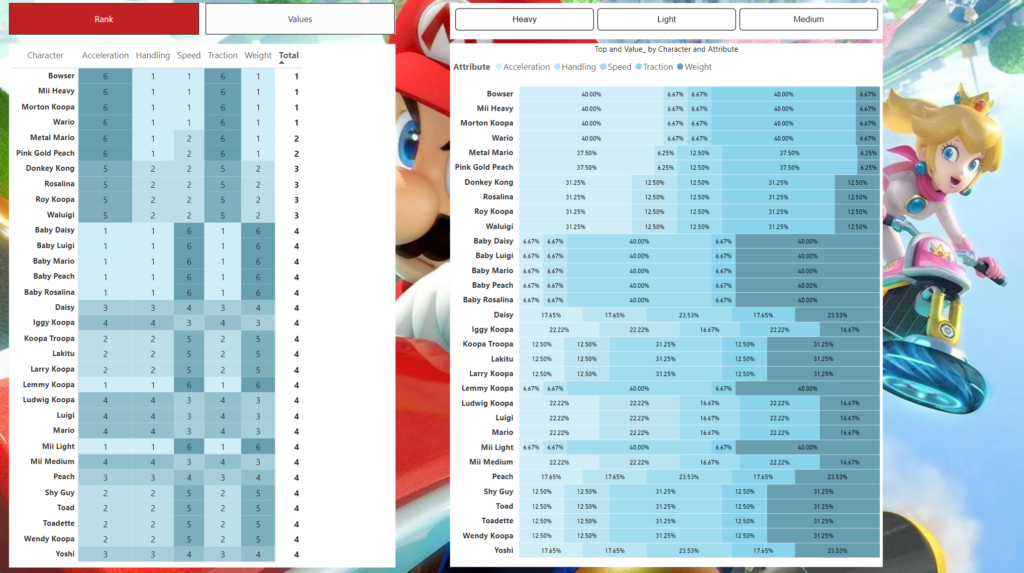
2023 Week 17 | Power BI: Peaches’ Parameters and Bowser’s Bookmarks

Introduction This week’s challenge is provided by Guest Contributor Ben Ferry aka Power BI Guy. Requirements Power Query Transform data (hint unpivot and reduce the number of columns) Load Data Power BI Desktop Create a Measure for the Sum of the values column Create a measure to rank the characters based on the measure you

2023 Week 17 | Power BI: Peaches’ Parameters and Bowser’s Bookmarks Read More »

2023 Week 16 | Power BI: Measure Format Strings and Conditionally Formatted Titles

Introduction The April 2023 release of Power BI Desktop gave us dynamic format strings for measures. While the end result could be previously accomplished by using calculation groups, we can now have measures with different formats based upon various conditions – no need to go into Tabular Editor to do this now! While we can

2023 Week 16 | Power BI: Measure Format Strings and Conditionally Formatted Titles Read More »

2023 Week 15 | Power BI: What-if parameters inspired by Makeover Monday

Introduction Welcome back to Workout Wednesday! This week we’re using a Makeover Monday dataset that was inspired by Andy Kriebel’s post on Twitter (dataviz inception!). Andy has been working through Makeover Monday challenges in Power BI, and I thought it would be a good opportunity for us to do some of these together! This week’s challenge uses what-if parameters, a

2023 Week 15 | Power BI: What-if parameters inspired by Makeover Monday Read More »

Doge with a word cloud of US misspellings

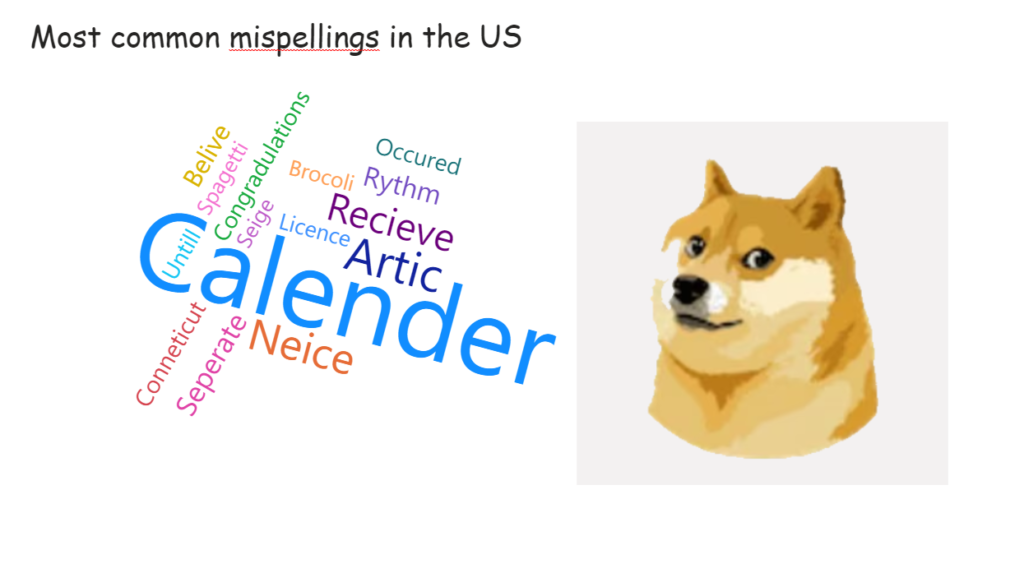
2023 Week 14 | Power BI: Word Cloud and Modulo

Introduction This week’s challenge is inspired by recent Twitter activities. We are creating a word cloud containing common misspellings in the US. Requirements Power Query Obtain the dataset from https://www.dailymail.co.uk/femail/article-11357183/Google-search-data-reveals-commonly-misspelled-words-spell-correctly.html OR https://github.com/kolky001/Workout-Wednesday-2023/blob/main/Misspellings Transform and load data HINT : Add Index column, create modulo column, unpivot data Power BI Desktop Obtain Word Cloud custom visual from

2023 Week 14 | Power BI: Word Cloud and Modulo Read More »

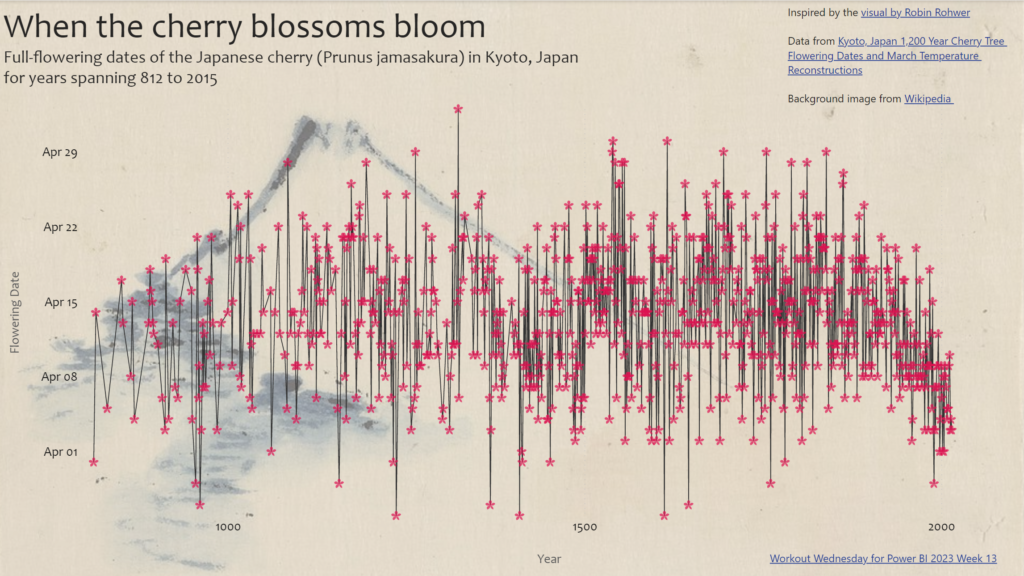
2023 Week 13 | Power BI: Create a connected scatterplot with image markers

Introduction This week we are getting a bit artistic and taking inspiration from a visual that was recently published by Robin Rohwer on Twitter. She created a connected scatterplot that uses a flower emoji to represent each point. I thought her visual was wonderful, so I set out to create something like it in Power

2023 Week 13 | Power BI: Create a connected scatterplot with image markers Read More »

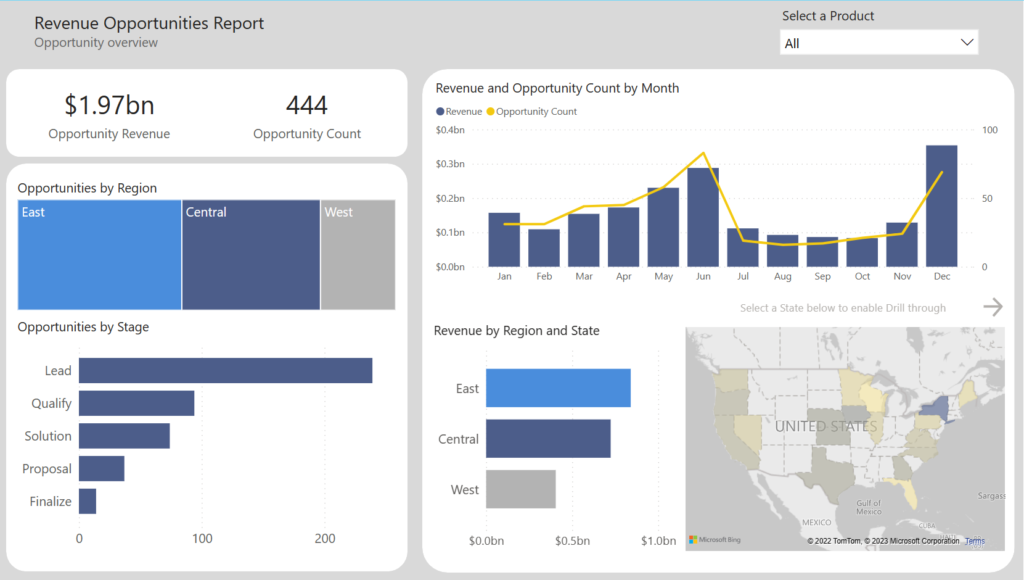
Image of Power BI report.

2023 Week 12 | Power BI: Are your reports accessible?

Introduction Welcome back to Workout Wednesday! This week we’re taking a note out of Meagan’s book and looking at existing reports to ensure they’re accessible to our end-users.  Creating accessible Power BI reports isn’t just a nice-to-have feature, but a crucial aspect for ensuring all users can access and understand your data. Don’t let accessibility

2023 Week 12 | Power BI: Are your reports accessible? Read More »