Author name: Shannon Lindsay

2023 Week 08 | Power BI: Create an interactive resume

Introduction Welcome back to Workout Wednesday! This week we will use Power BI to build an interactive resume. This challenge is for a few different audiences. 1) Job seekers – feel free to use this template, plug in your information, make design tweaks, and post this to your portfolio! 2) Data vizzers – use the starter […]

2023 Week 08 | Power BI: Create an interactive resume Read More »

2023 Week 05 | Power BI: Visualize the Oscars with an Isotype/Pictogram Chart

Introduction Hello and welcome back to Workout Wednesday! If you’re joining us for the first time, be sure to check out our complete list of challenges. This week we’re looking at data from the American Academy Awards, also known as the Oscars. The Oscars are awards for artistic and technical merit for the American film industry

2023 Week 05 | Power BI: Visualize the Oscars with an Isotype/Pictogram Chart Read More »
2023 Week 01 | Power BI: Use DAX to control visual display

Introduction Welcome to Workout Wednesday 2023, Power BI edition! If this is your first time joining us, we’re happy you’re here. The goal of this initiative is to help you build your Power BI skills. We provide the data and the instructions, and you build the visuals! We hope you have fun and learn a new

2023 Week 01 | Power BI: Use DAX to control visual display Read More »

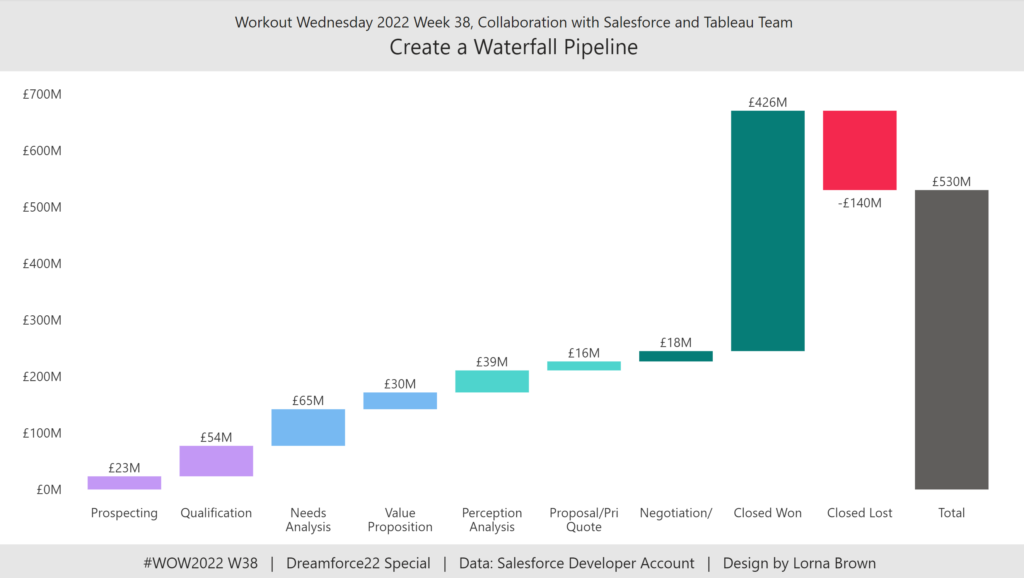
2022 Week 38 | Power BI: Create a Waterfall Pipeline

Introduction Welcome back to Workout Wednesday! This week we’re collaborating with the Tableau team to create a waterfall pipeline using Salesforce data. Lorna Brown, the creator of the challenge is attending Saleforce’s Dreamforce conference, hence the nature of the challenge. We’re building a waterfall chart using the Simple Waterfall custom visual by Datanomy Limited. This week’s workout can be done in

2022 Week 38 | Power BI: Create a Waterfall Pipeline Read More »

2022 Week 33 | Power BI: Compare two series of values

Introduction Welcome back to Workout Wednesday! This week we’re visualizing two series of values in a take on last week’s Tableau challenge! This week’s challenge uses youth cellphone data and gives you the opportunity to either build a dumbbell chart using Charticulator or to build a lipstick column chart using a custom visual. Complete one or both

2022 Week 33 | Power BI: Compare two series of values Read More »

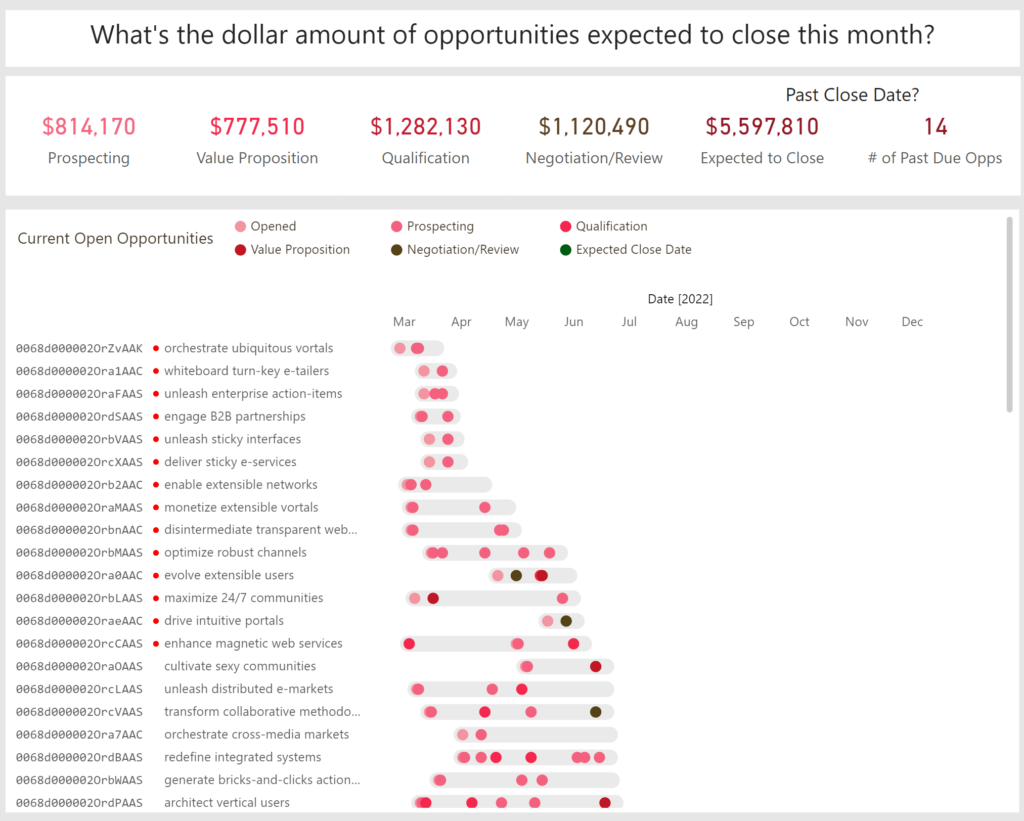
2022 Week 23 | Collab with Preppin Data – Salesforce Opportunities

Introduction Welcome back to Workout Wednesday! This week is our annual collaboration with Preppin’ Data and the Tableau team! This week we’re visualizing Salesforce data – looking at current open opportunities, and trying to distinguish the dollar amount of opportunities due to close this month. This week’s challenge can be done in both Power BI and Tableau, and

2022 Week 23 | Collab with Preppin Data – Salesforce Opportunities Read More »

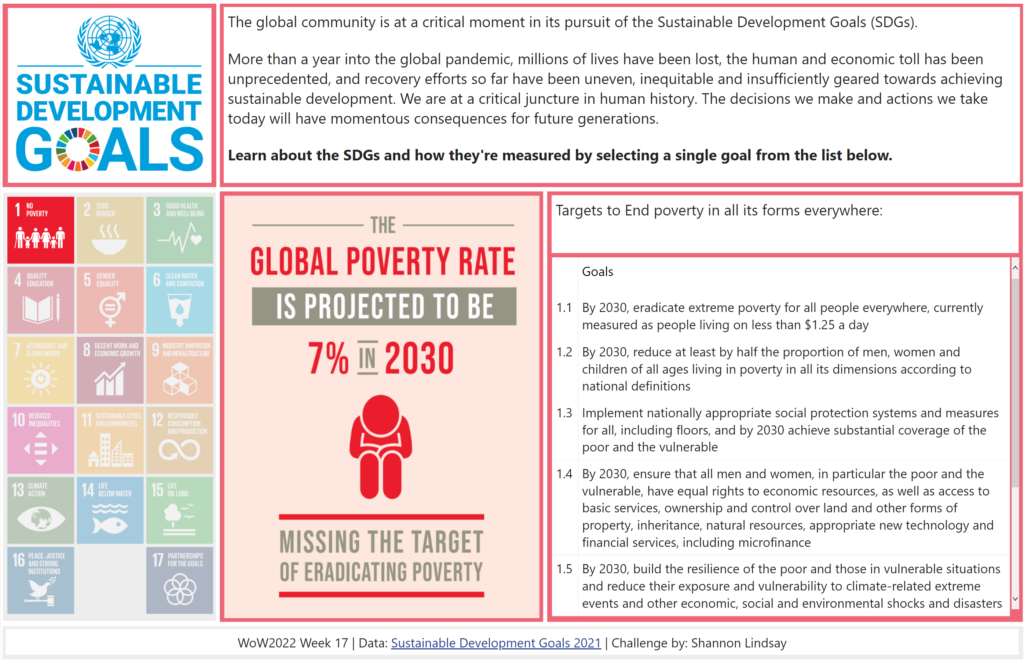
2022 Week 17 | Power BI : Create a Custom Theme

Introduction Welcome back to color month! It’s our 4th color-focused challenge and in stark contrast to Kerry’s week 14 challenge, we’re using loads of bright colors! This week we’re creating a custom theme using the color palette of the United Nations Sustainable Development Goals. This challenge was inspired by a Makeover Monday challenge – take a look

2022 Week 17 | Power BI : Create a Custom Theme Read More »