
Author name: Kerry Kolosko

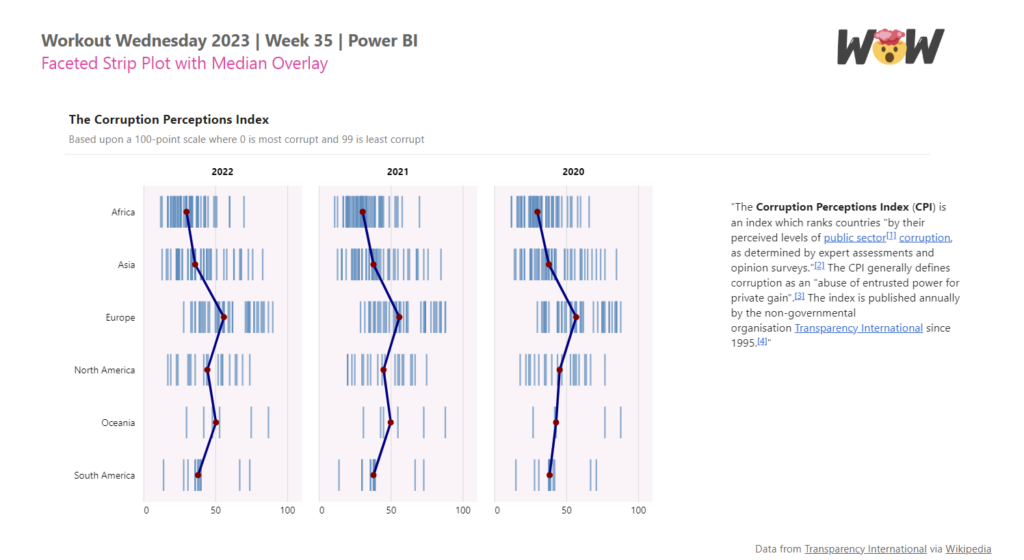
Faceted Strip Plot with Median Overlay

2024 Week 5 | Power BI: Create a Strip Plot with Median Overlay

Introduction Sometimes it can be useful to show all data points instead of aggregating them. That is where an instance chart, also called a strip plot or a barcode plot, can be useful. This week we are building on a faceted strip plot made in 2023 week 35, and adding a median overlay. Inspired by […]

2024 Week 5 | Power BI: Create a Strip Plot with Median Overlay Read More »

Power BI, Workout Wednesday
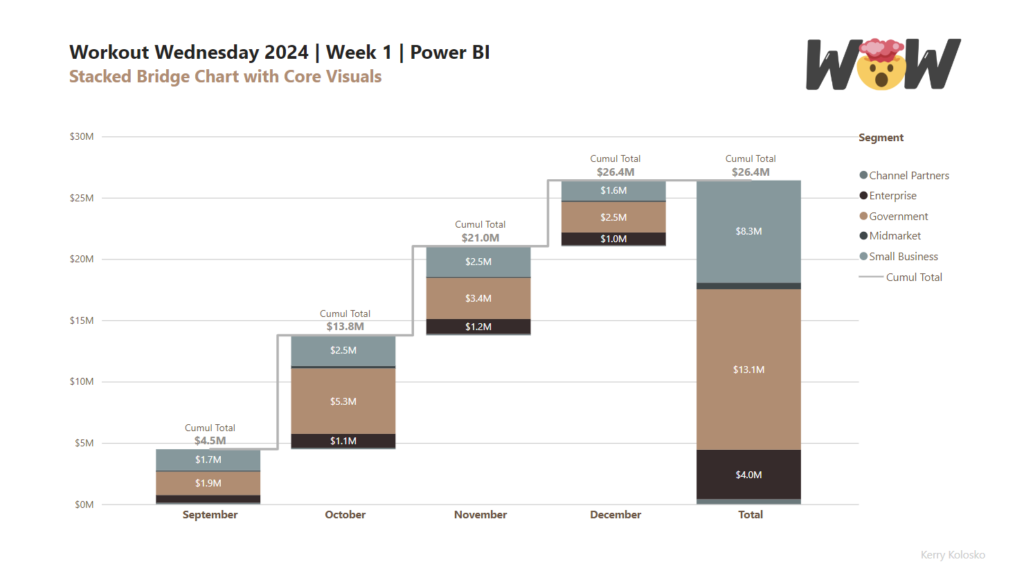
2024 Week 1 | Power BI: Stacked Bridge with Core Visual

Introduction This week’s challenge builds on last weeks challenge to utilise updated column fill and data labelling features from the Power BI December 2023 release. The challenge will be to create a stacked bridge chart using the core column and line combo chart. Building the bridge will require calculated tables. Intermediate users can use the

2024 Week 1 | Power BI: Stacked Bridge with Core Visual Read More »

Power BI, Workout Wednesday
ring chart

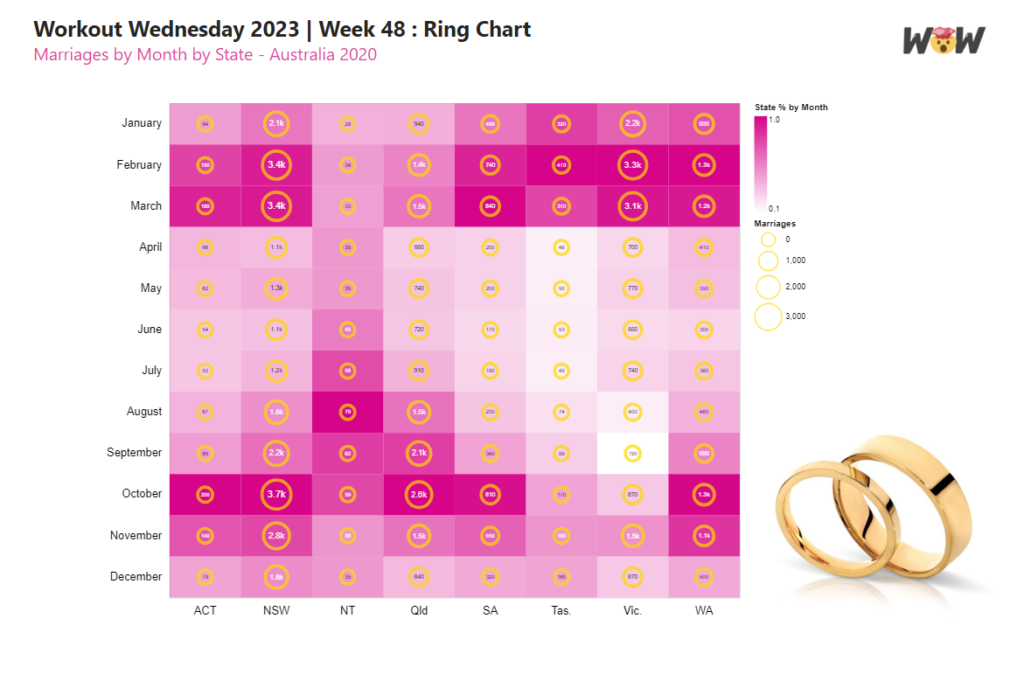
2023 Week 48 | Power BI: Ring Chart

Introduction This week’s challenge uses a few layering techniques in the Deneb custom visual. Here you will be challenged to use multiple independent scales on a layered plot. Advanced users can concatenate total bars for extra credit! Requirements Power Query Obtain the dataset from Github Model and load data Power BI Desktop Obtain Deneb from

2023 Week 48 | Power BI: Ring Chart Read More »

Power BI, Workout Wednesday
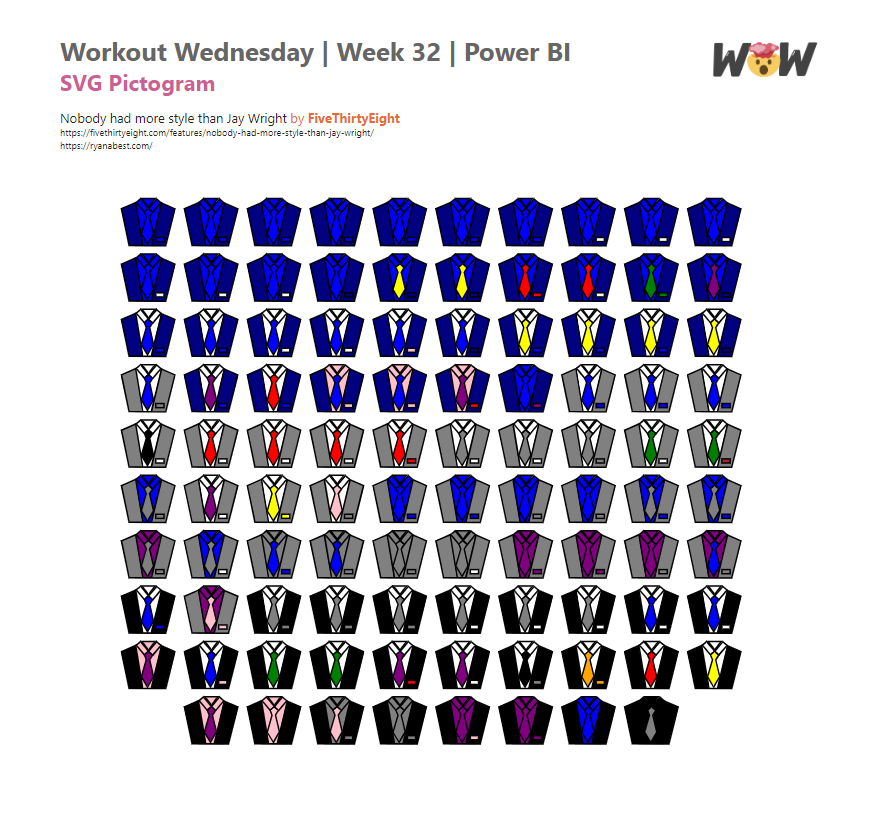
SVG Pictrogram

2023 Week 32 | Power BI: SVG Pictogram

Introduction This week’s challenge was inspired by FiveThirtyEight’s Nobody had more style than Jay Wright created by Ryan Best For this week’s challenge we will be creating SVGs with shape elements that are coloured dynamically based on field values. Create your own SVG and add your own flair to this design. Requirements Obtain the source data

2023 Week 32 | Power BI: SVG Pictogram Read More »

Power BI, Workout Wednesday
Project timeline Visual

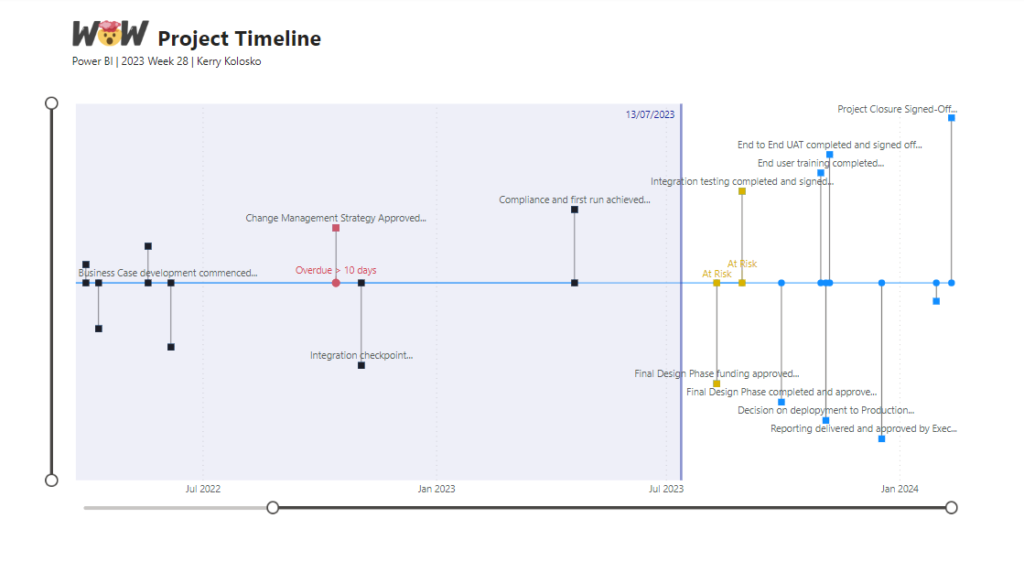
2023 Week 28 | Power BI: Project Timeline

Introduction This week’s challenge was inspired by Bas. We are creating a Timeline Visual using the Line Chart and measure-driven data labels. For this project timeline, we will be adding a today line, highlighting completed milestones, and milestones that are off-track. We will be adding descriptors to the milestones and truncating the descriptors to a

2023 Week 28 | Power BI: Project Timeline Read More »

Power BI, Workout Wednesday
Bubble Chart Variants

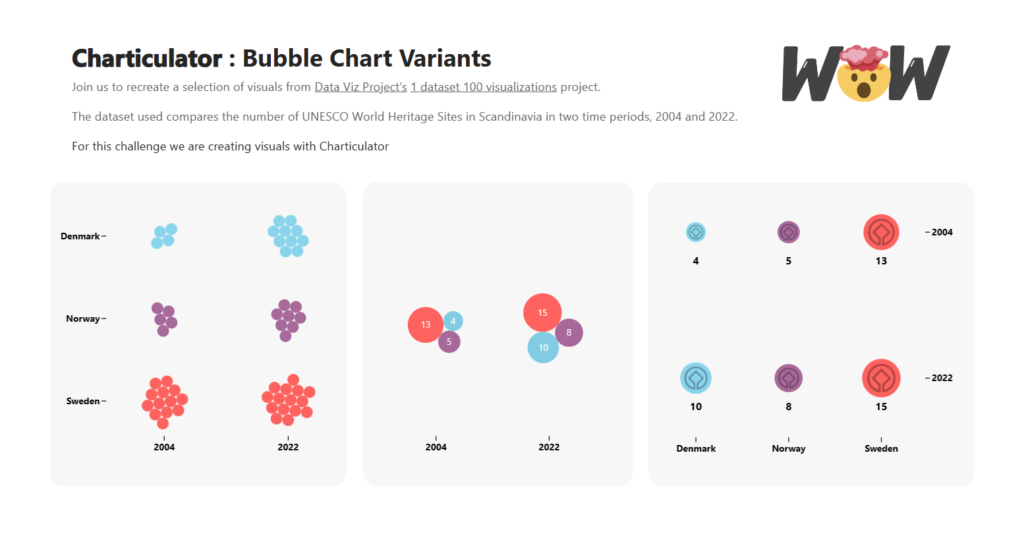
2023 Week 25 | Power BI: Bubble Chart Variants with Charticulator

Introduction This week we are continuing our viz efforts inspired by the 1 dataset 100 visualizations project, presented by the Data Viz Project. Last week, Meagan challenged us to create as many visuals as possible using the Deneb custom visual available in Power BI AppSource. The week before, Shannon challenged us to make as many visuals as

2023 Week 25 | Power BI: Bubble Chart Variants with Charticulator Read More »

Power BI, Workout Wednesday
Jittered Scatter Chart and Bubble Plot of Adelaide rainfall between 1183 and 2022

2023 Week 22 | Power BI: Inverted Jittered Scatter

Introduction This week’s challenge uses Deneb custom visual to create a jittered scatter with inverted axis plus a bubble plot with labels. Requirements Power Query Obtain the dataset from Australian Bureau of Meteorology Website Model and load data Power BI Desktop Option 1: Obtain Deneb Custom Visual from AppSource Create a Scatter Chart with point

2023 Week 22 | Power BI: Inverted Jittered Scatter Read More »

Power BI, Workout Wednesday
2023 Week 18 | Power BI: SVG Clip Path

Introduction This week’s challenge is a little SVG fun. Recent Power BI Desktop changes have allowed even further width and height adjustments for images in matrix visuals. So we will be extending this by making a bar chart of chocolate bars. Requirements Power Query Obtain the dataset from 2023-week-11 challenge or; Obtain the dataset from

2023 Week 18 | Power BI: SVG Clip Path Read More »

Power BI, Workout Wednesday
Doge with a word cloud of US misspellings

2023 Week 14 | Power BI: Word Cloud and Modulo

Introduction This week’s challenge is inspired by recent Twitter activities. We are creating a word cloud containing common misspellings in the US. Requirements Power Query Obtain the dataset from https://www.dailymail.co.uk/femail/article-11357183/Google-search-data-reveals-commonly-misspelled-words-spell-correctly.html OR https://github.com/kolky001/Workout-Wednesday-2023/blob/main/Misspellings Transform and load data HINT : Add Index column, create modulo column, unpivot data Power BI Desktop Obtain Word Cloud custom visual from

2023 Week 14 | Power BI: Word Cloud and Modulo Read More »

Power BI, Workout Wednesday